
A rabbit farming app that replaces three notebooks.
A full walk-through of Invoiceror's rabbit farming app — the AgriBiz module that handles tag IDs, QR cage tags, mating timelines, birth records and daily chores from your phone. Screen by screen, using the live app.
Where this lives: Rabbit Farming is one module inside AgriBiz, part of Invoiceror's set of industry add-ons, reached from More → Industry Solutions → AgriBiz. It's the only livestock module out of the gate — the rest of the lineup is on the way.
Most rabbit farming apps on the market are either generic livestock trackers with no breeding detail, or spreadsheets nobody but you can read. This rabbit farm management software ships inside an app you're probably already running your invoices through, so a doe's QR tag, her mating timeline, and the feed bill she costs you sit in the same place. The eleven steps below cover every screen in the module, using the same rabbitry management workflow a working breeder would follow: tag the rabbit, log the breeding, record the litter, and keep the cage chart honest.
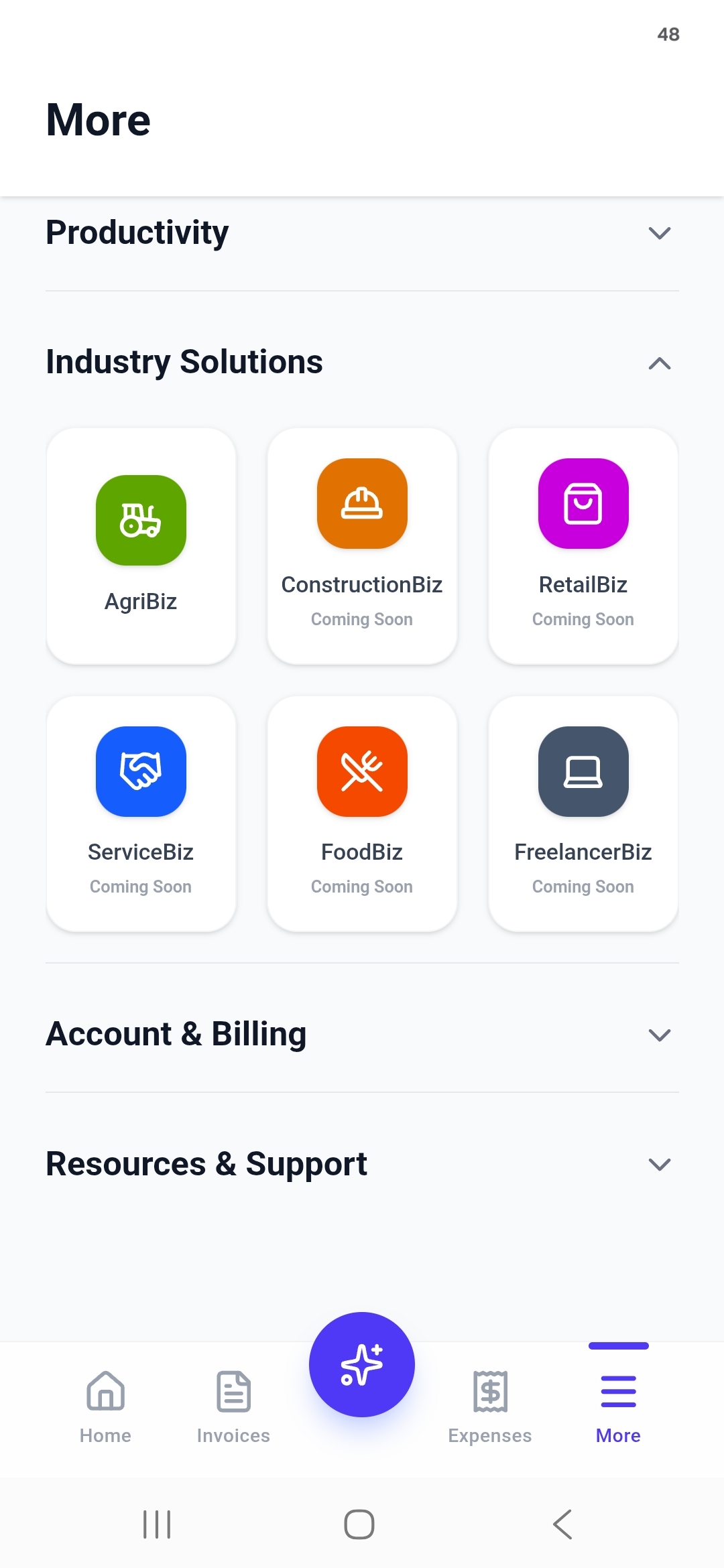
More → Industry Solutions → AgriBiz
Rabbit Farming doesn't sit on the main tab bar. From any screen, tap More, open the Industry Solutions group, and tap AgriBiz.
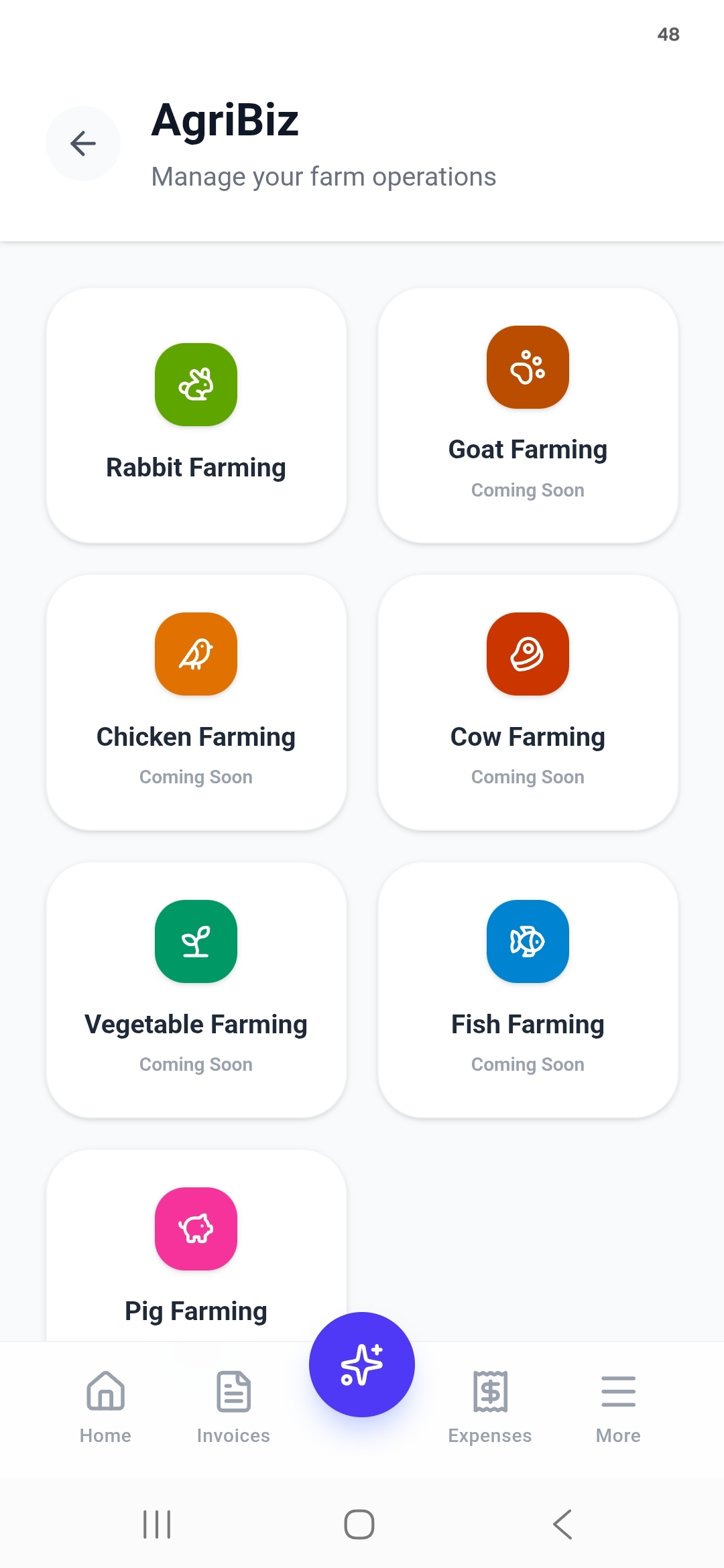
Inside AgriBiz, Rabbit Farming is the one module with no "Coming Soon" label — tap its green rabbit icon to go in.
Your whole herd, in one tally
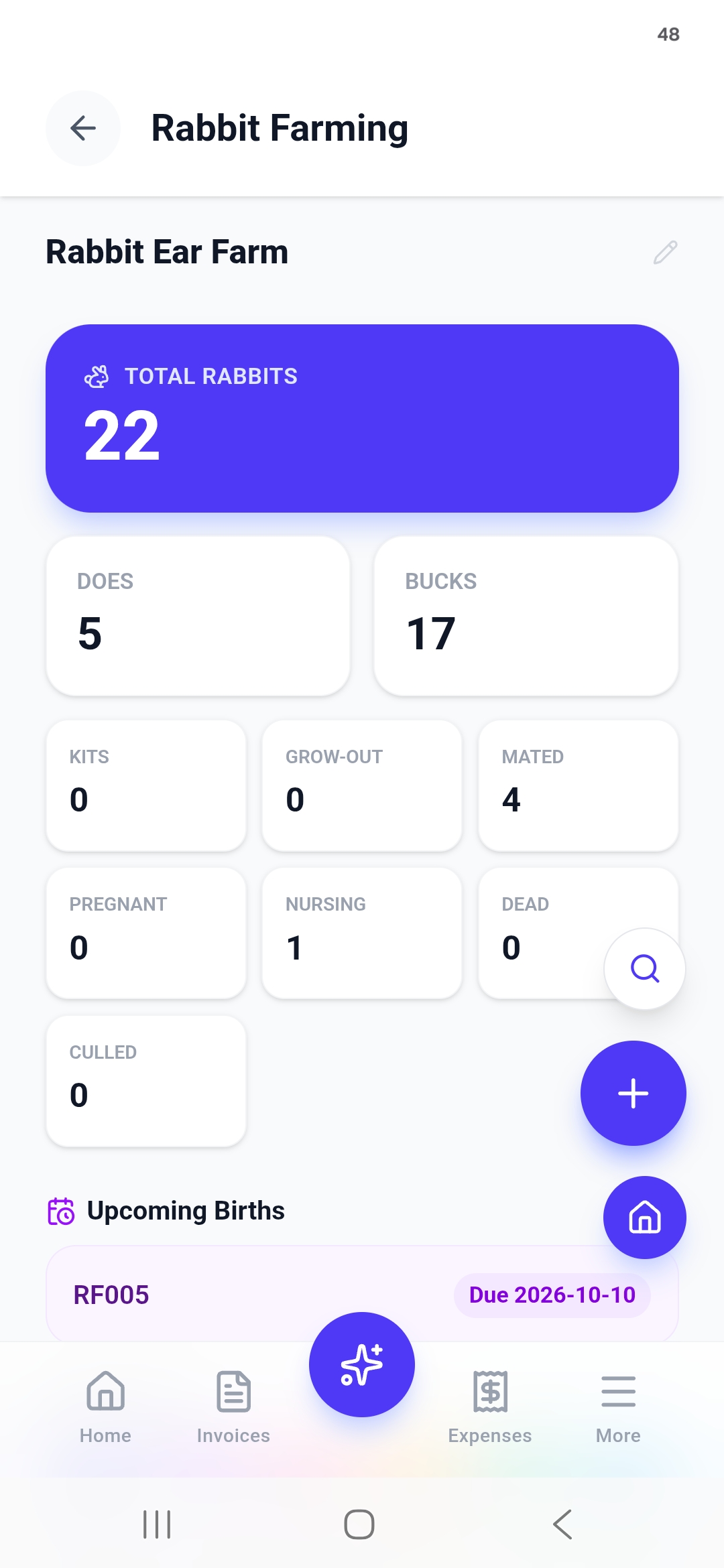
The dashboard opens on a Total Rabbits count, split into Does and Bucks, then a status grid — Kits, Grow-Out, Mated, Pregnant, Nursing, Dead, Culled — so you can read your rabbitry's state the way you'd read a tally sheet.
Below it, Upcoming Births lists which doe is due and when, pulled straight from the mating dates you log in Timeline Data later in this guide.
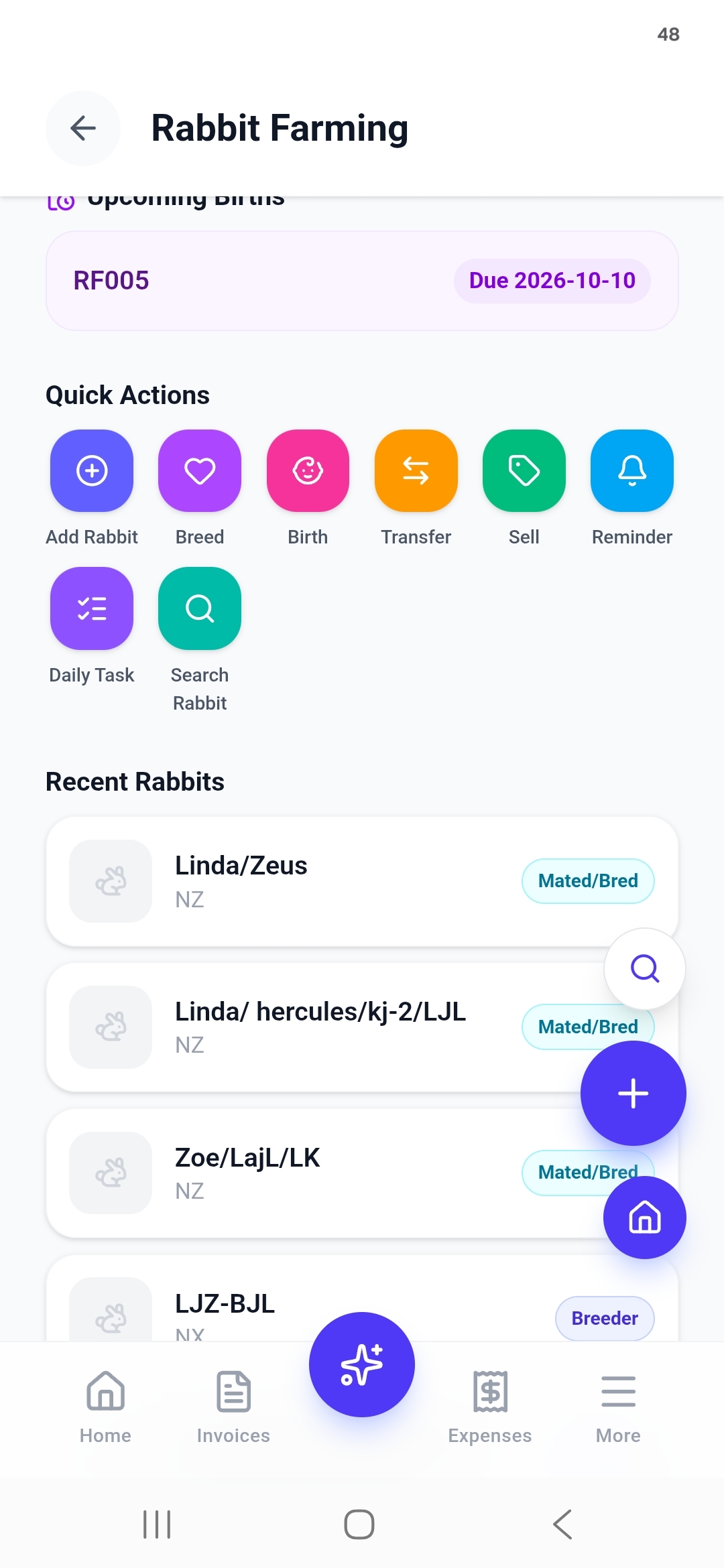
Eight actions cover a whole day's work
Scroll down and the dashboard turns into a toolbar. Every task you'd do chasing a rabbit around a cage has its own one-tap action:
Every rabbit starts with a Tag ID
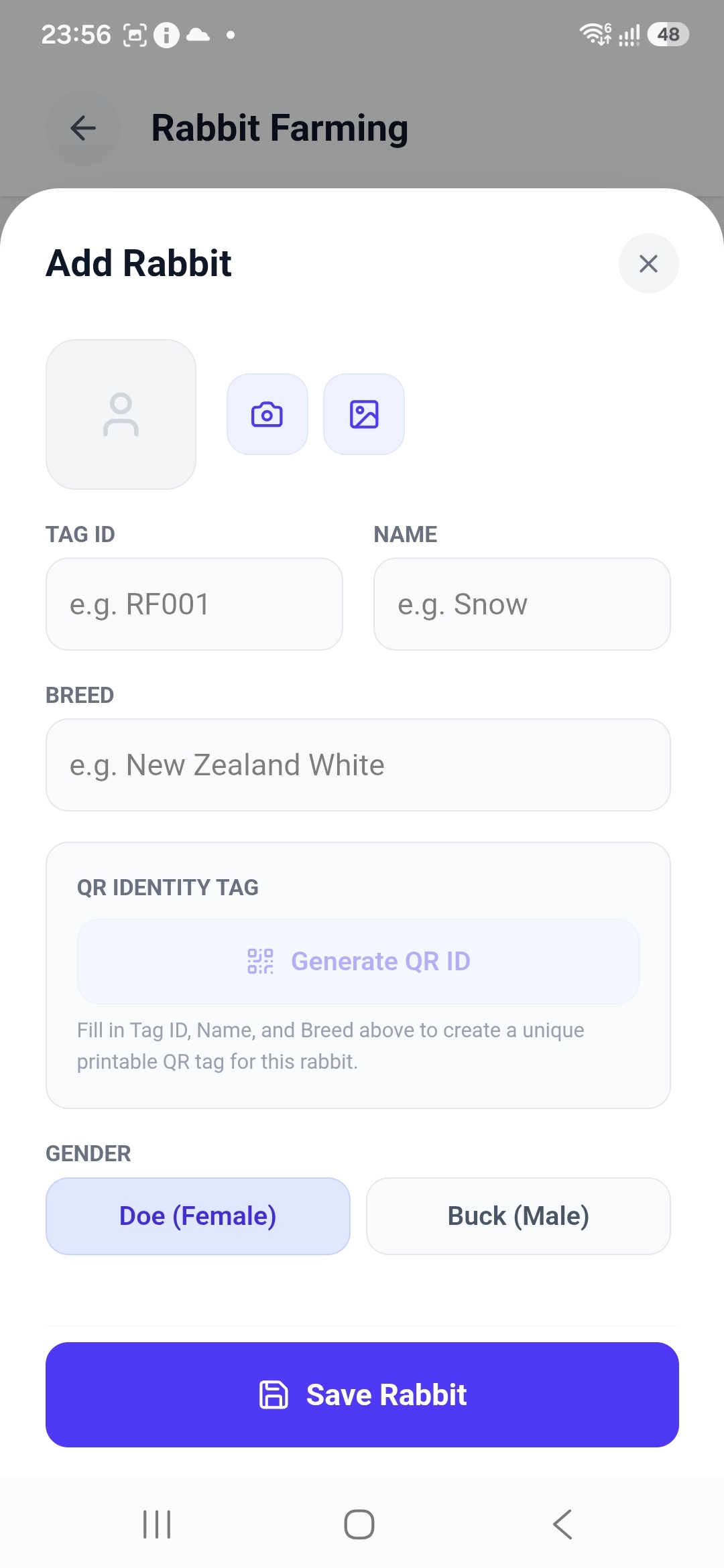
Fill in Tag ID (e.g. RF001), Name, Breed — New Zealand White, Californian, or any of the breeds ARBA recognizes — and Gender, plus a photo if you've got one handy. The moment those three text fields are filled, a Generate QR ID button lights up — it builds a unique, printable QR tag for that exact rabbit.
- Tag ID
- Name
- Breed
- Doe / Buck
- Generate QR ID
One card holds the whole animal
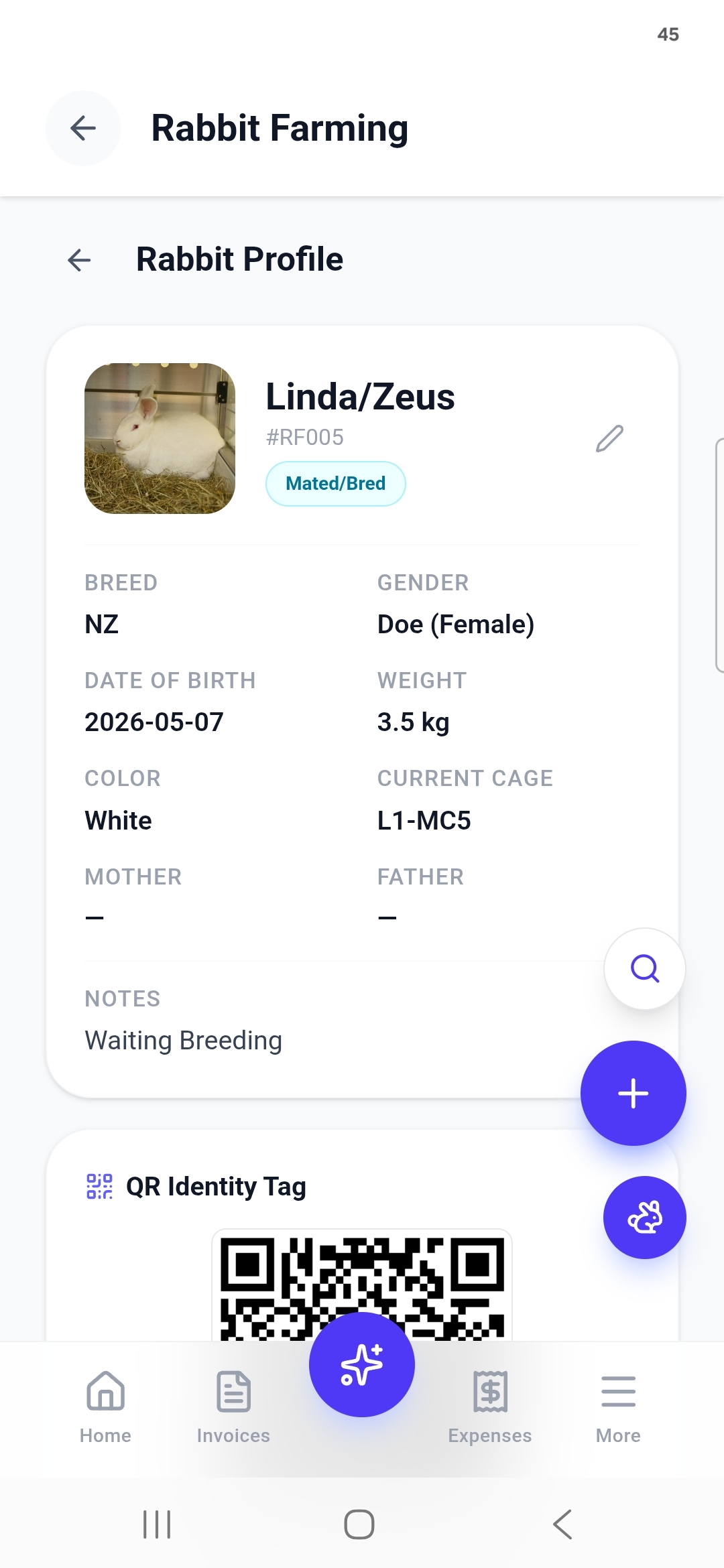
Tap any rabbit and its profile lays out everything you'd otherwise keep on a cage card: Breed, Gender, Date of Birth, Weight, Color, Current Cage, Mother, Father and free-text Notes — plus a status pill (Mated/Bred) that updates as the rabbit moves through its lifecycle.
A tag you can zip-tie to the cage
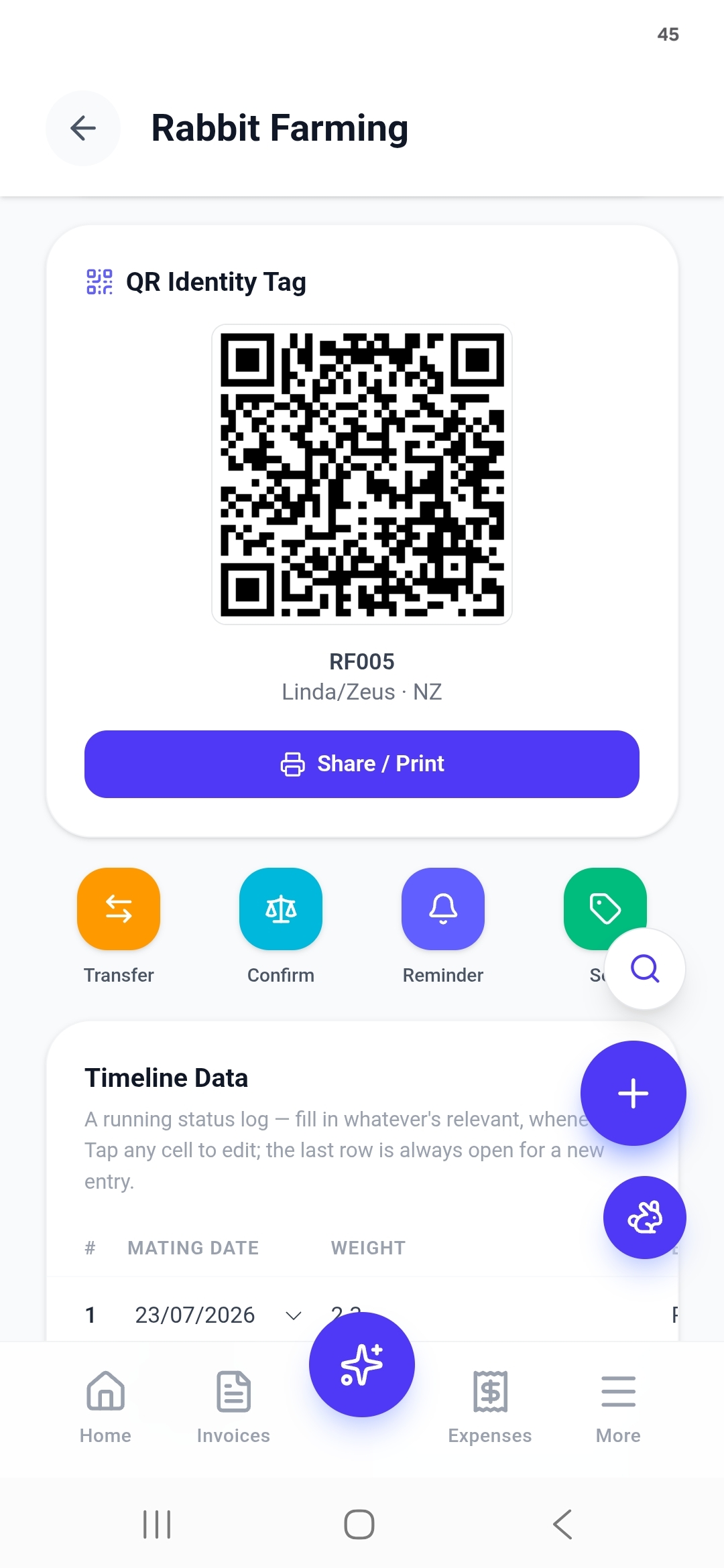
Every rabbit's QR Identity Tag lives on its profile with a Share / Print button. Print it onto a cage card or ear tag, and scanning it from any phone opens that rabbit's profile directly — no hunting through a list, no relying on handwriting a hired hand might not recognize.
A running log, built for does
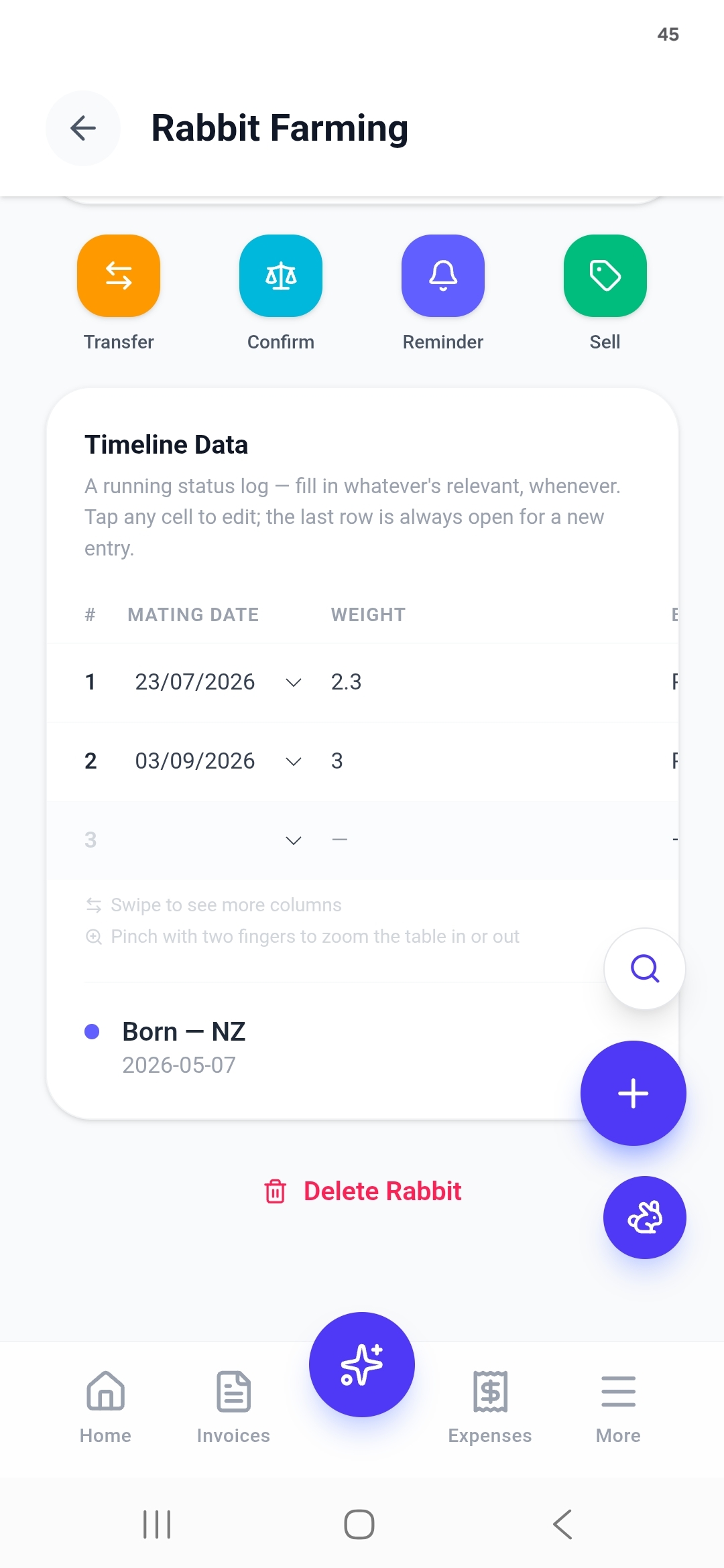
Underneath each profile sits a spreadsheet-style Timeline Data table — Mating Date, Weight, and more columns off to the side. Swipe to reach them, pinch with two fingers to zoom the table in or out, and tap any cell to edit. The last row is always left open for the next entry.
It's the one screen built specifically for does cycling through repeat mating dates, instead of a generic notes field — worth the discipline, since gestation runs about 31 days and a logged mating date is what turns into the dashboard's Upcoming Births countdown.
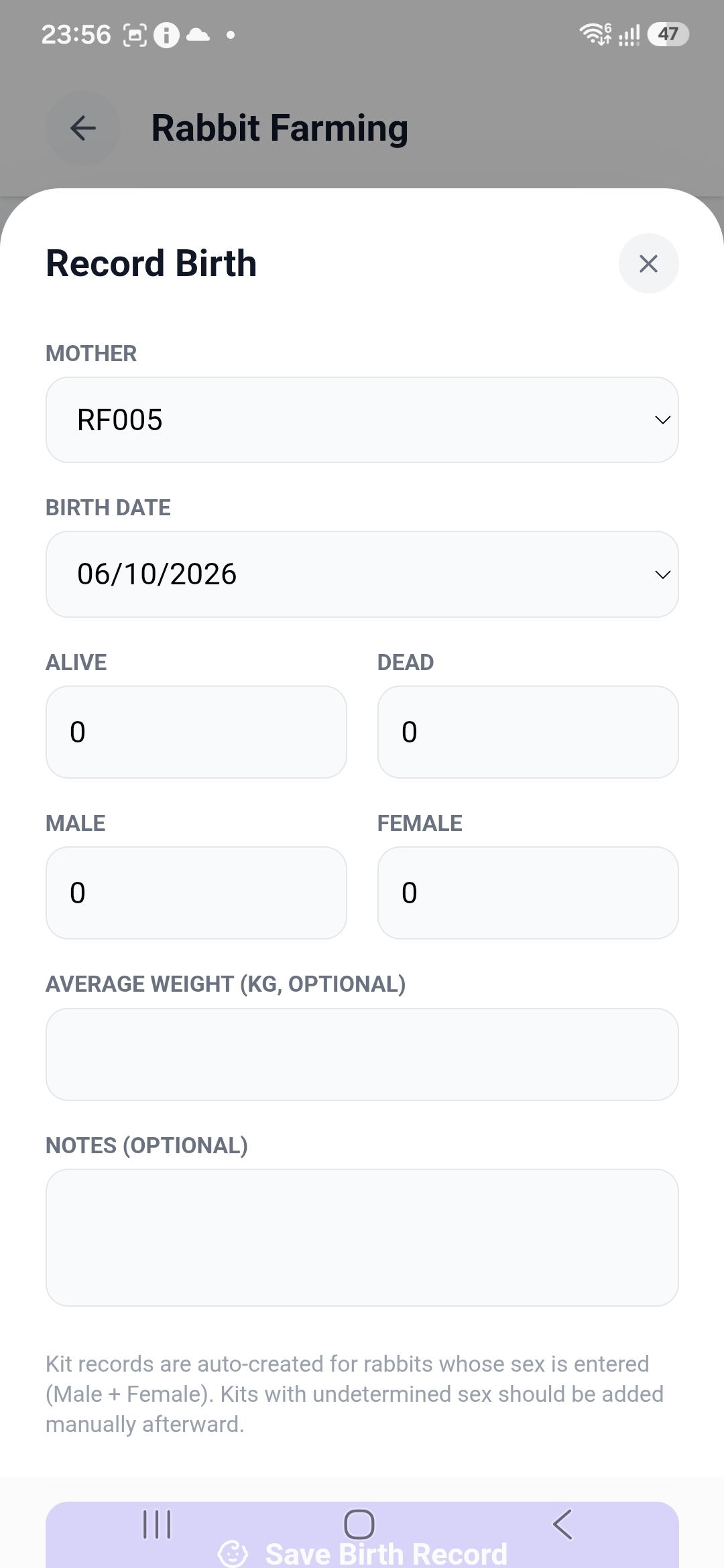
One litter, logged in four numbers
Pick the Mother by Tag ID, confirm the Birth Date, then count the litter: Alive, Dead, Male, Female. Average weight and notes are optional.
Kit records are auto-created for whatever sex counts you enter — kits of undetermined sex still need adding by hand afterward.
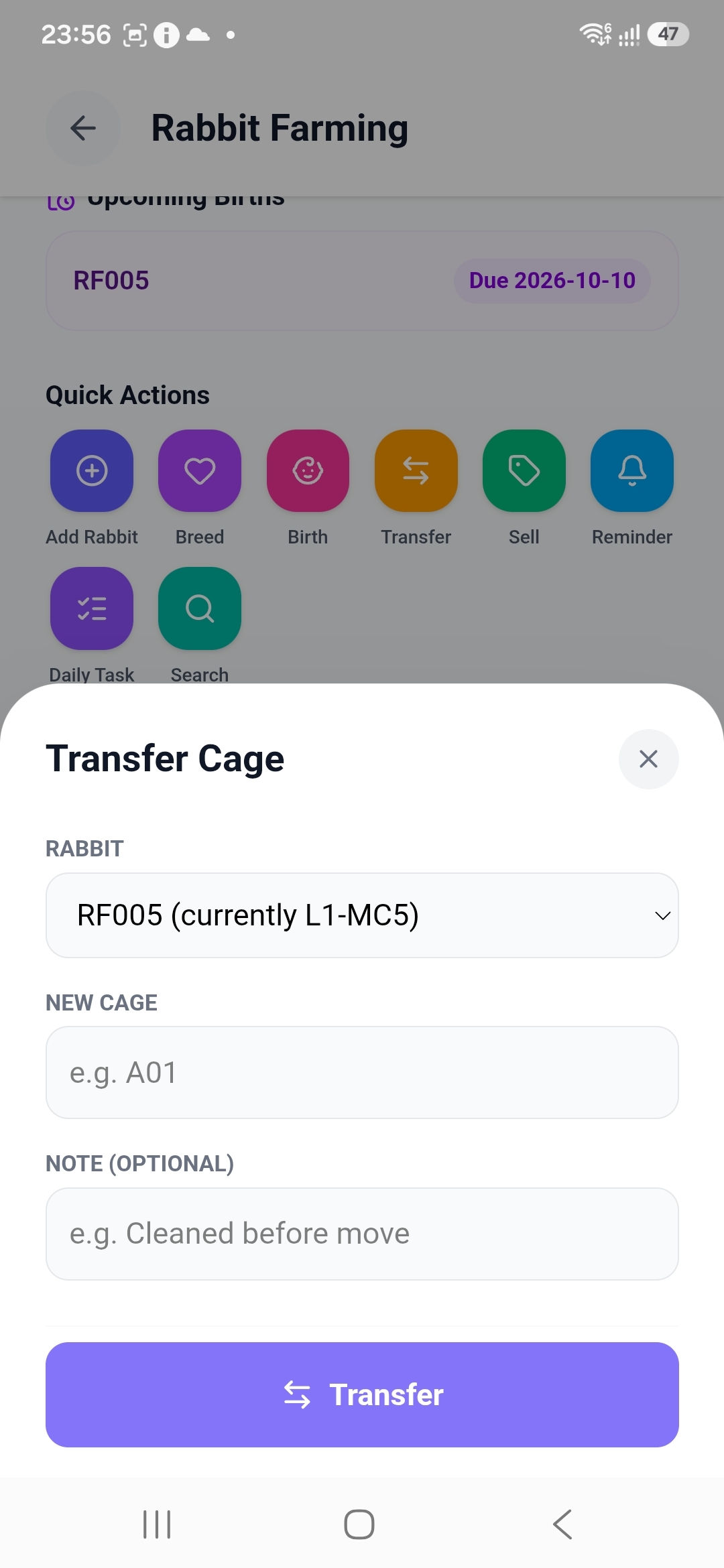
Cage moves stay on the record
Choose the rabbit — its current cage shows right in the picker, e.g. RF005 (currently L1-MC5) — enter the New Cage code, and add an optional note like "Cleaned before move." The whole move is timestamped onto that rabbit's record, not a whiteboard that gets wiped.
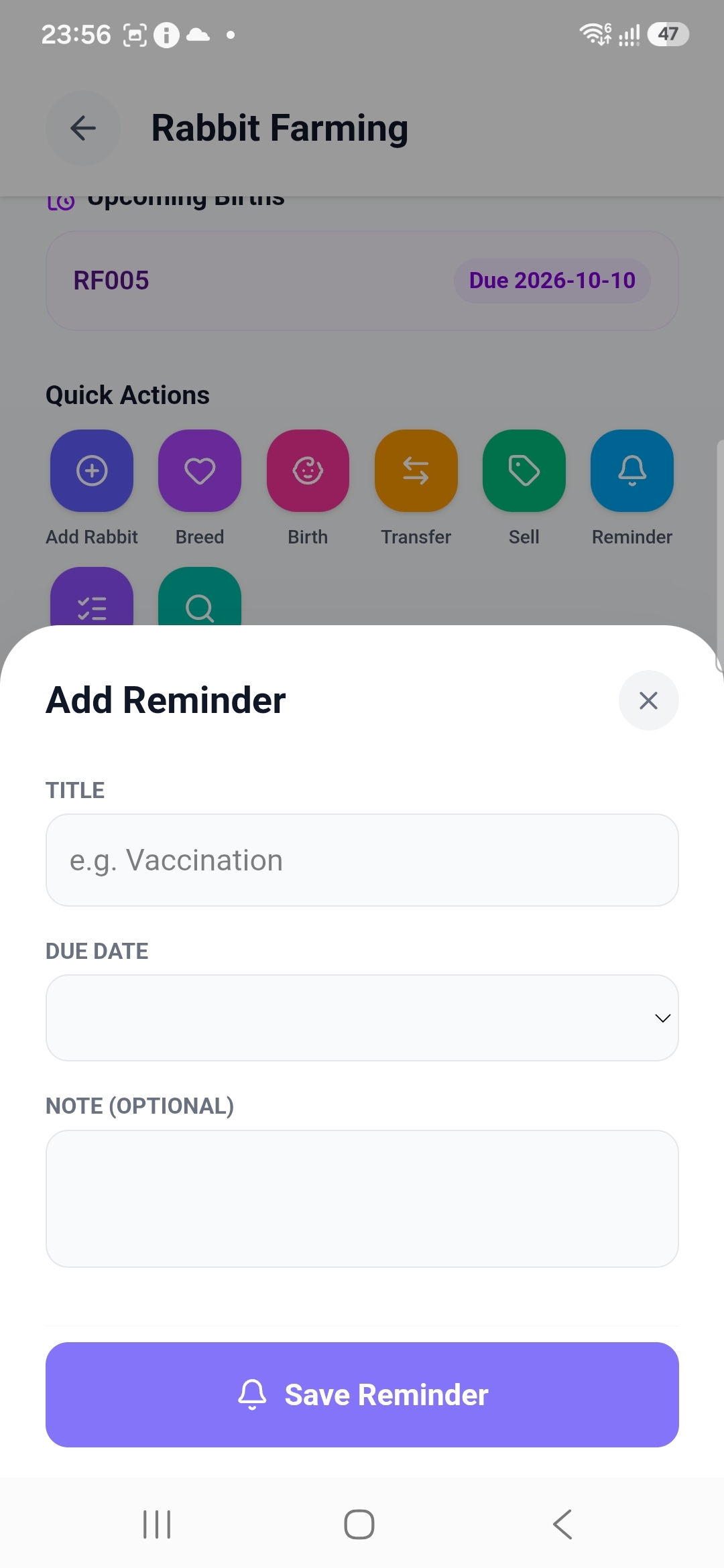
One-off alerts, same bell as invoices
A Reminder needs just a Title (e.g. "Vaccination") and a Due Date, with an optional note. It lands in Invoiceror's existing reminder bell — the same one tracking your invoice follow-ups — so farm chores and business admin surface in one place instead of two apps.
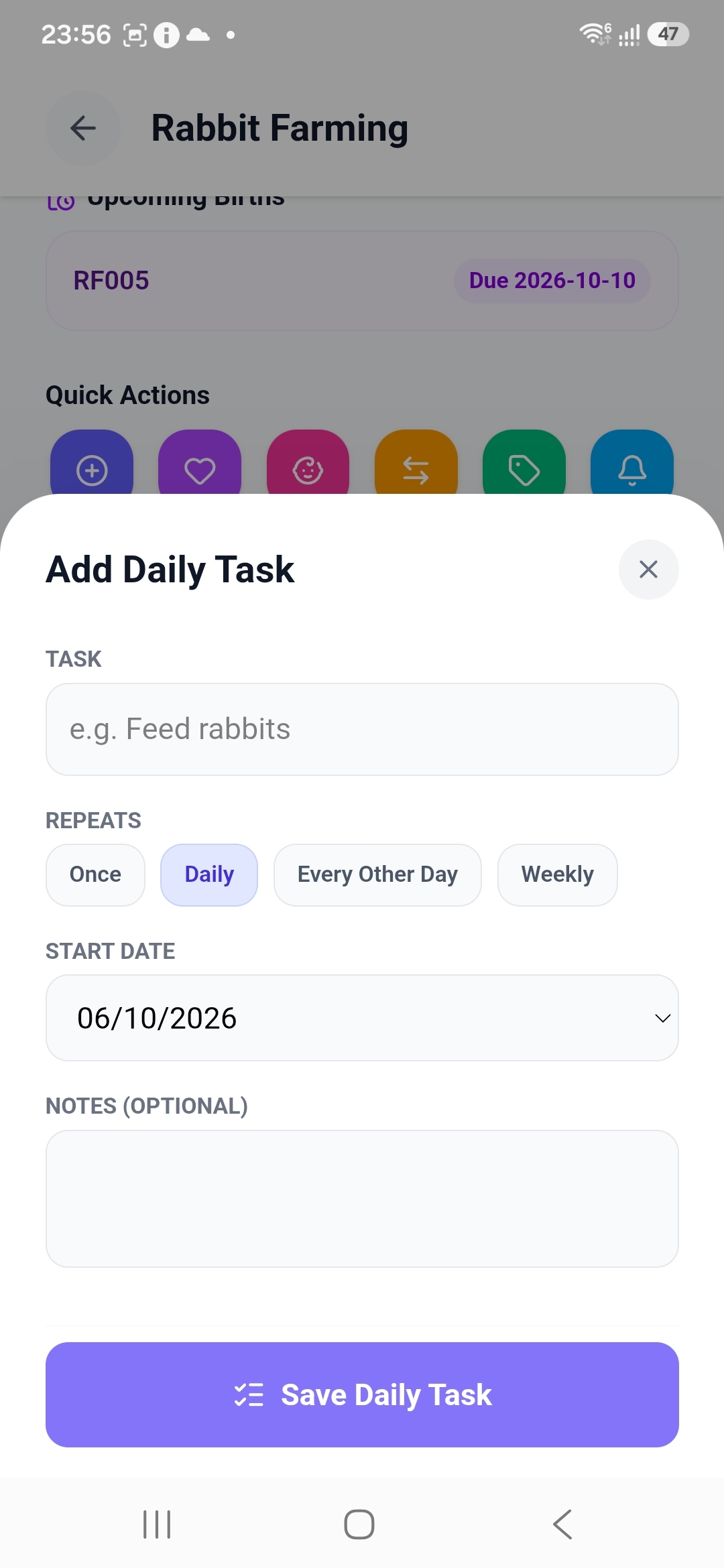
Chores that repeat, and prove they happened
Daily Task is different from a Reminder — it's a recurring checklist item. Name the task ("Feed rabbits"), pick how often it repeats — Once, Daily, Every Other Day or Weekly — and set a start date.
Each due day generates its own tickable entry, so if you're relying on hired help to feed or clean, a missed day shows up as missed instead of quietly vanishing.
Tag it, breed it, track it, sell it.
Rabbit Farming is live inside Invoiceror today, built on top of the same invoicing and expense tracking you're already running your business on. Goat, Chicken, Cow, Fish, Pig and Vegetable Farming are next up in AgriBiz.