
Invoicing, expenses and profit, wherever you are
The Invoiceror Android app puts your whole business on your phone. Here is how to download it, and the 10 biggest ways it saves small business owners time and money.
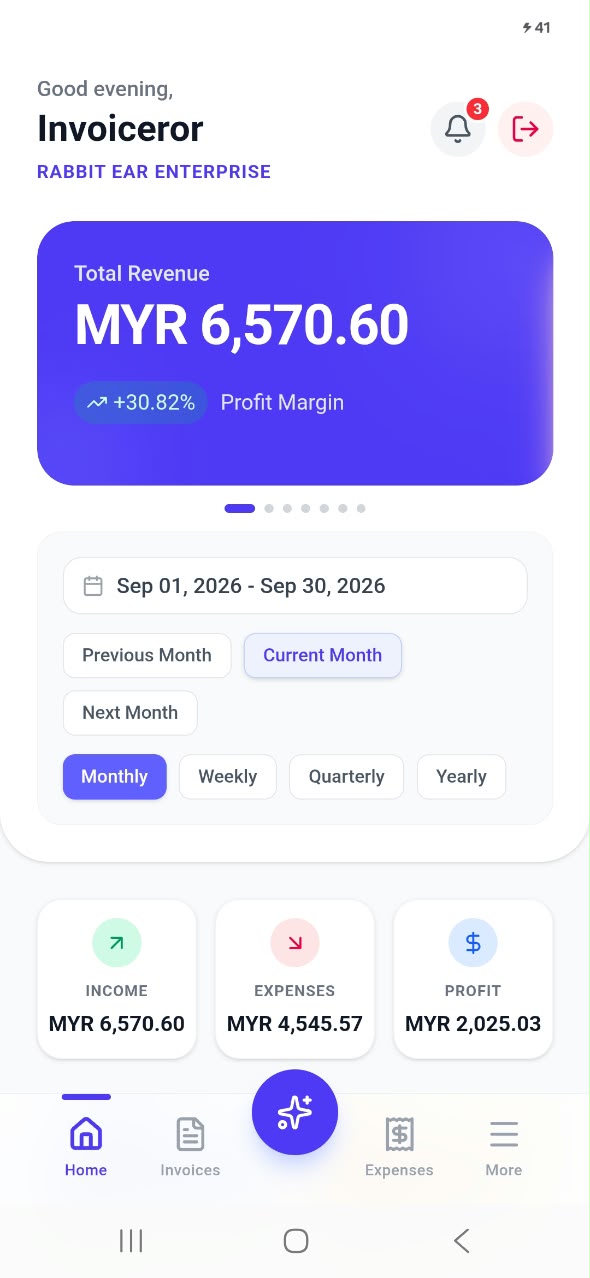
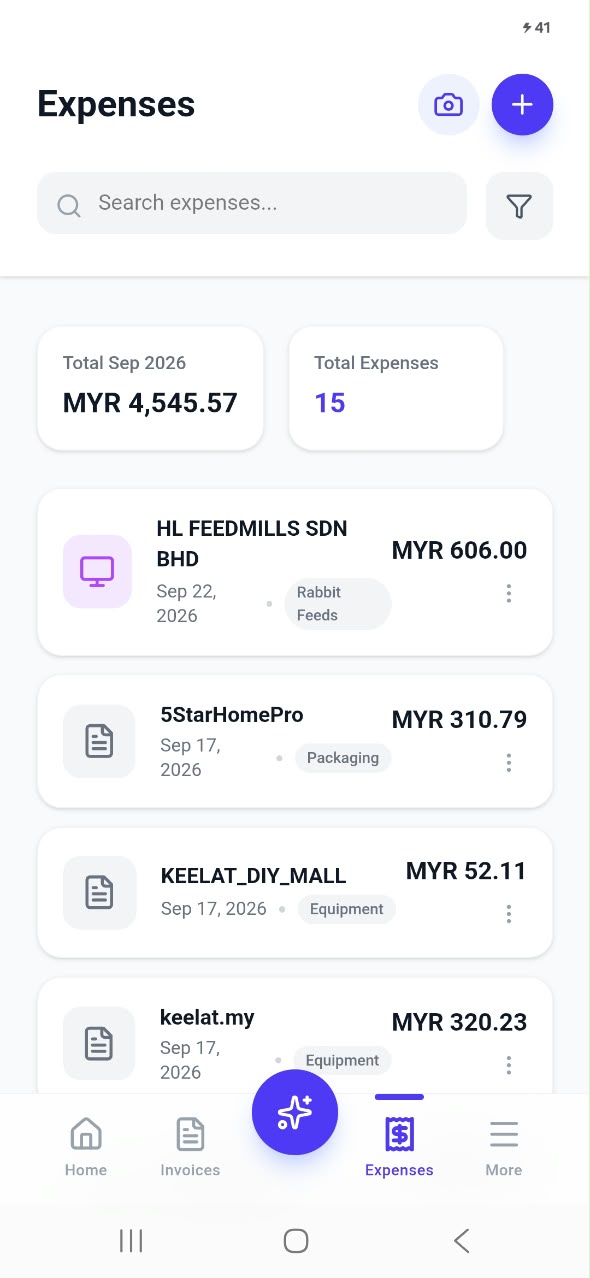
Most small business owners do not run their business from a desk. You are at a customer's house, at the market, on a farm, at a supplier, or driving between jobs. Yet invoicing and bookkeeping tools still expect you to sit down at a laptop, usually late at night, to catch up on paperwork you could have finished hours earlier.
That is why we built the Invoiceror Android app. It gives you the same invoicing, expense tracking, inventory and reporting you know from the Invoiceror web app, designed for the phone that is already in your hand. In this post we explain how to download it in under a minute, then walk through the ten biggest benefits our users get from running their business on mobile.
How to download the Invoiceror Android app
- Open Google Play on your Android phone and search for Invoiceror, or tap the Get it on Google Play button on this page.
- Tap Install. The app is free to download and only takes a few seconds to install.
- Open the app and look around. You can preview the dashboard and menus before you even create an account.
- Sign up or log in with Google in one tap, or with your email and a password. If you already use Invoiceror on the web, just log in: all your invoices, customers and expenses are already there.
- Turn on fingerprint login when the app offers it, so next time you can open Invoiceror with a single touch.
10 benefits of running your business from your phone
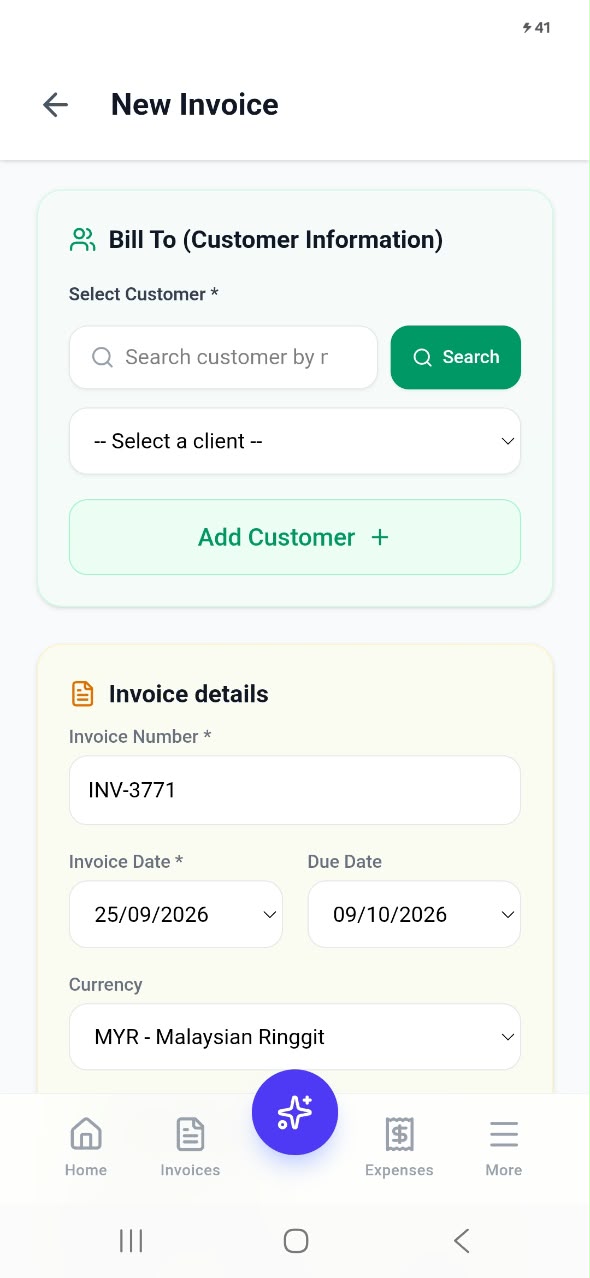
Invoice on the spot, get paid sooner
The best time to send an invoice is the moment the job is done, while the customer is still happy and in front of you. With the app you can create a professional invoice in under a minute, right there. The sooner an invoice is sent, the sooner it gets paid, and the less you have to chase later.
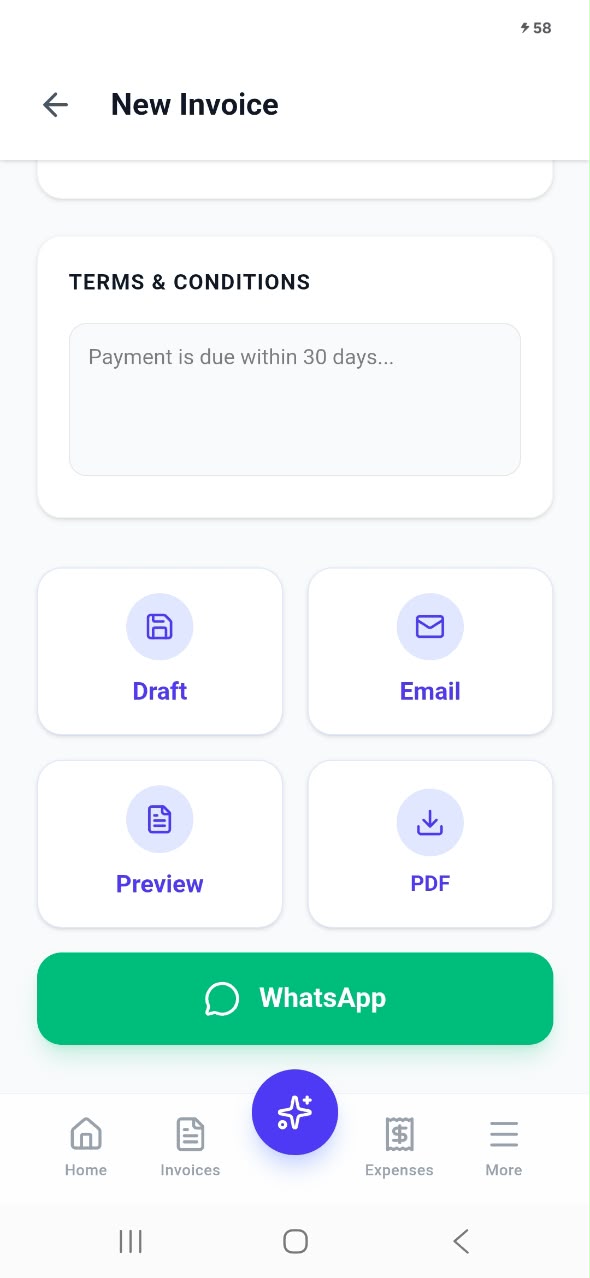
Send invoices on WhatsApp in one tap
Your customers already live on WhatsApp, so meet them there. Tap the green WhatsApp button and your invoice is sent instantly. You can also email it, download a PDF, preview it, or save it as a draft to finish later.
Never lose a receipt again
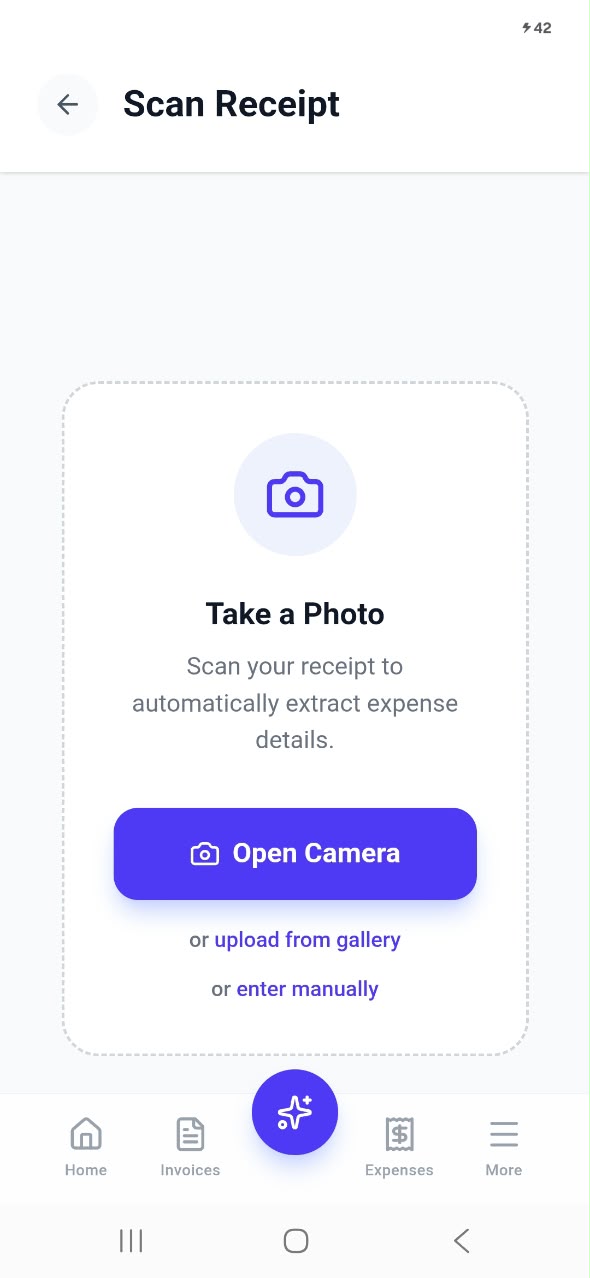
Paper receipts fade, get crumpled, or disappear. With the AI receipt scanner you snap a photo the moment you pay, and Invoiceror reads the receipt and fills in the expense for you. At tax time, every expense is already recorded and categorised.
Know your profit, any time
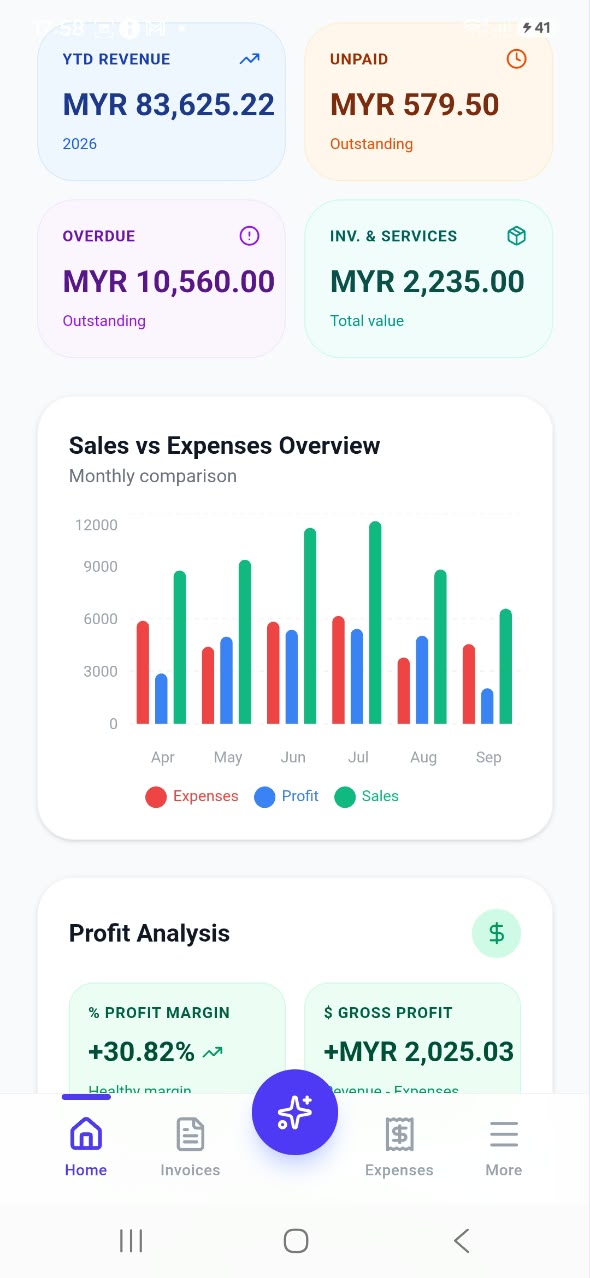
Most small businesses only find out how they did when the accountant tells them, months later. The dashboard shows your revenue, expenses, profit margin, unpaid and overdue invoices, and a sales vs expenses chart, updated live. You can make better decisions today instead of guessing.
Let AI do the typing
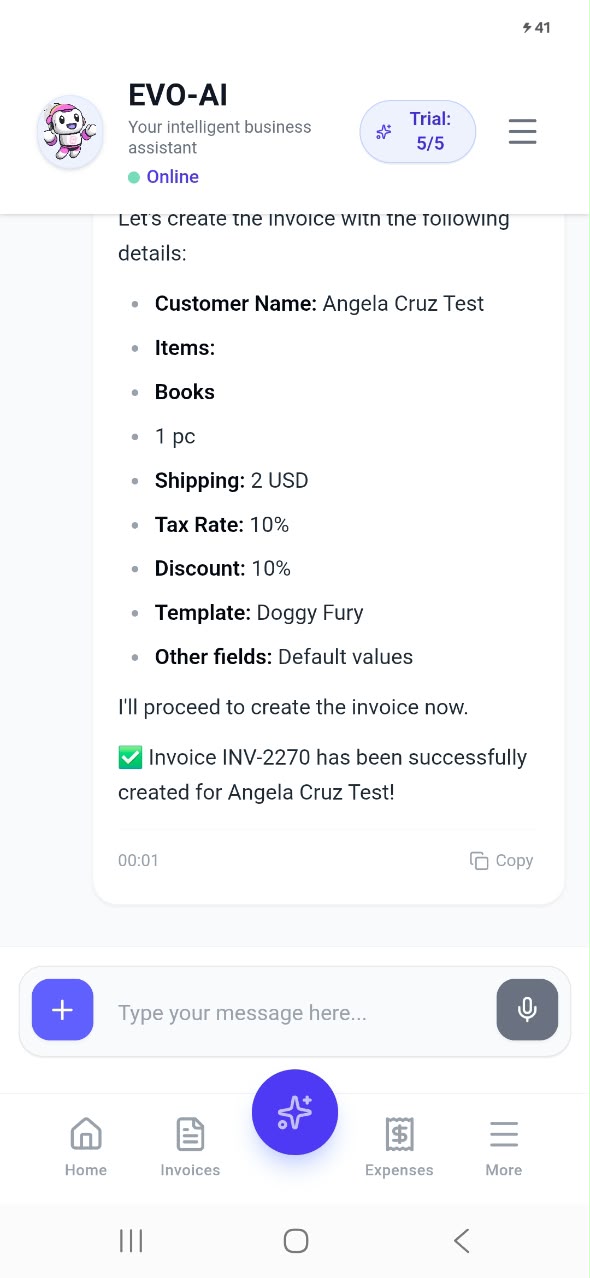
Busy hands? Tell EVO-AI, the built-in assistant, what you need by typing or speaking, such as "create an invoice for one book with 10% discount", and it creates the invoice for you. It can also help with expenses and answer questions about your sales.
Check stock before you promise it
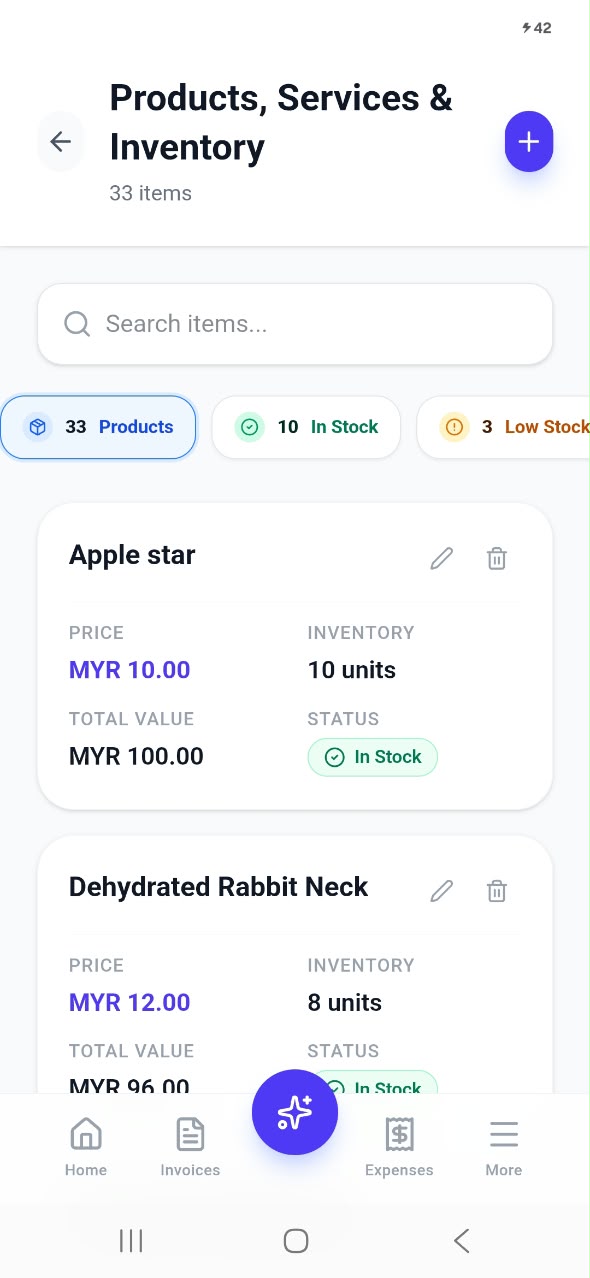
A customer asks if you have something in stock. Instead of guessing, open the app and check: every product shows its price, units on hand, total value and whether it is in stock or running low. Your inventory also feeds straight into your invoices, so adding an item is one tap.
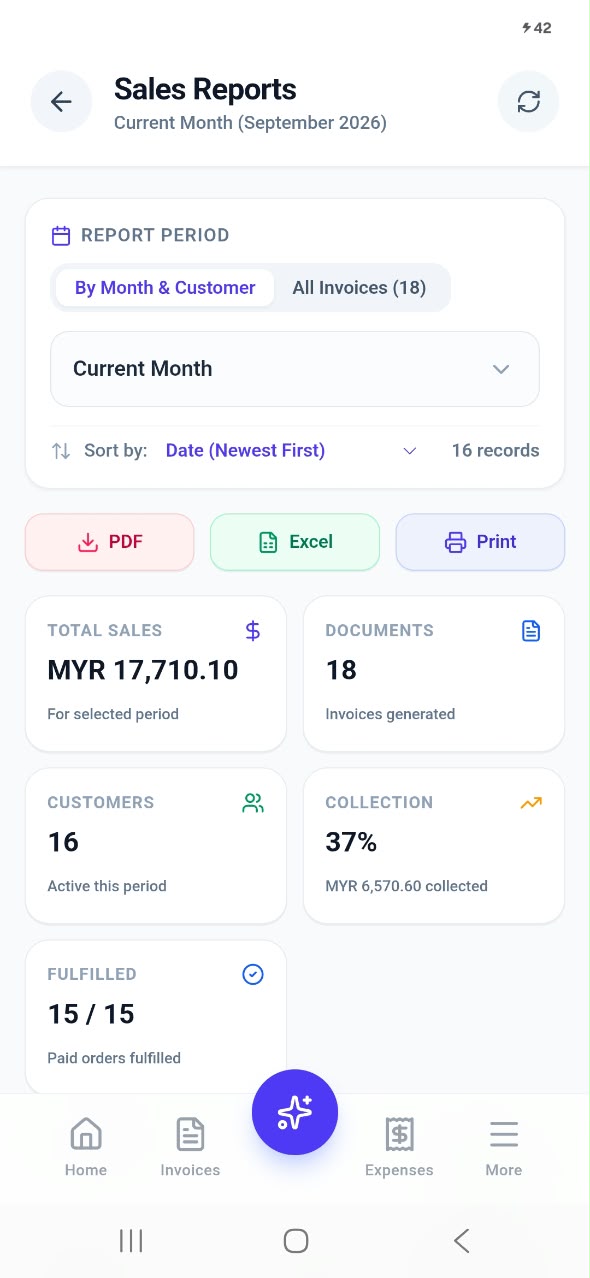
Reports ready for your accountant
Total sales, number of invoices, active customers, collection rate and fulfilled orders, for any period you choose. Export to PDF or Excel, or print, in one tap. No more afternoons lost to spreadsheets before a bank meeting or tax deadline.
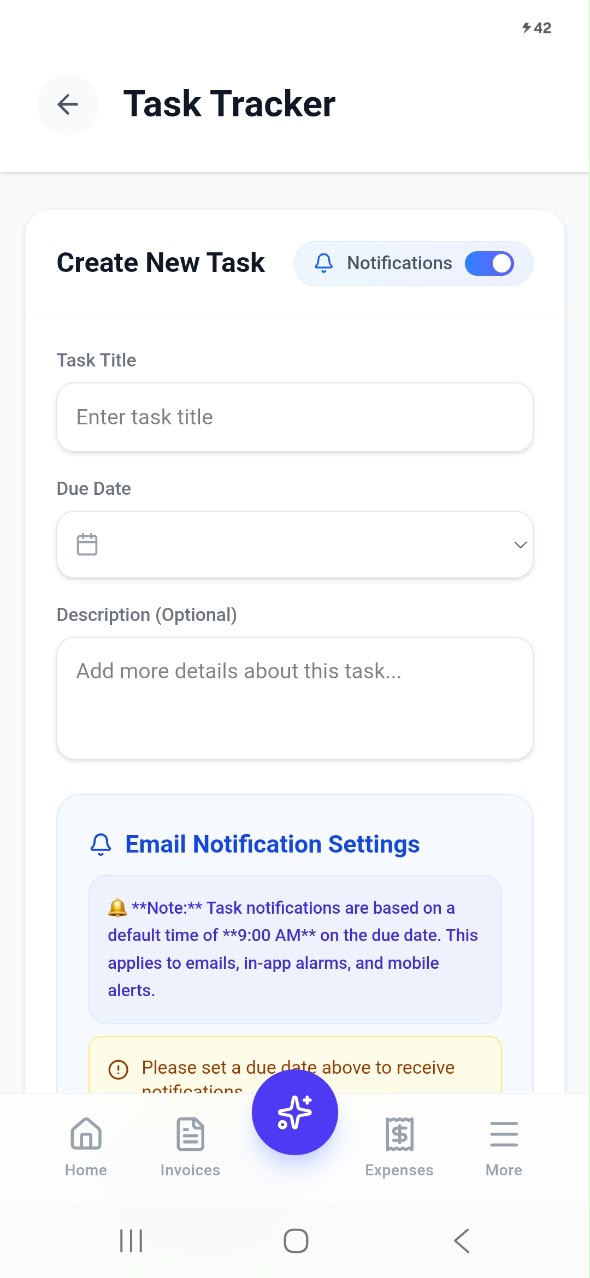
Stay on top of tasks and appointments
Use the Task Tracker and Daily Tracker to plan deliveries, meetings and follow-ups, with reminders by notification and email. Your to-do list sits right next to your invoices, so nothing falls through the cracks.
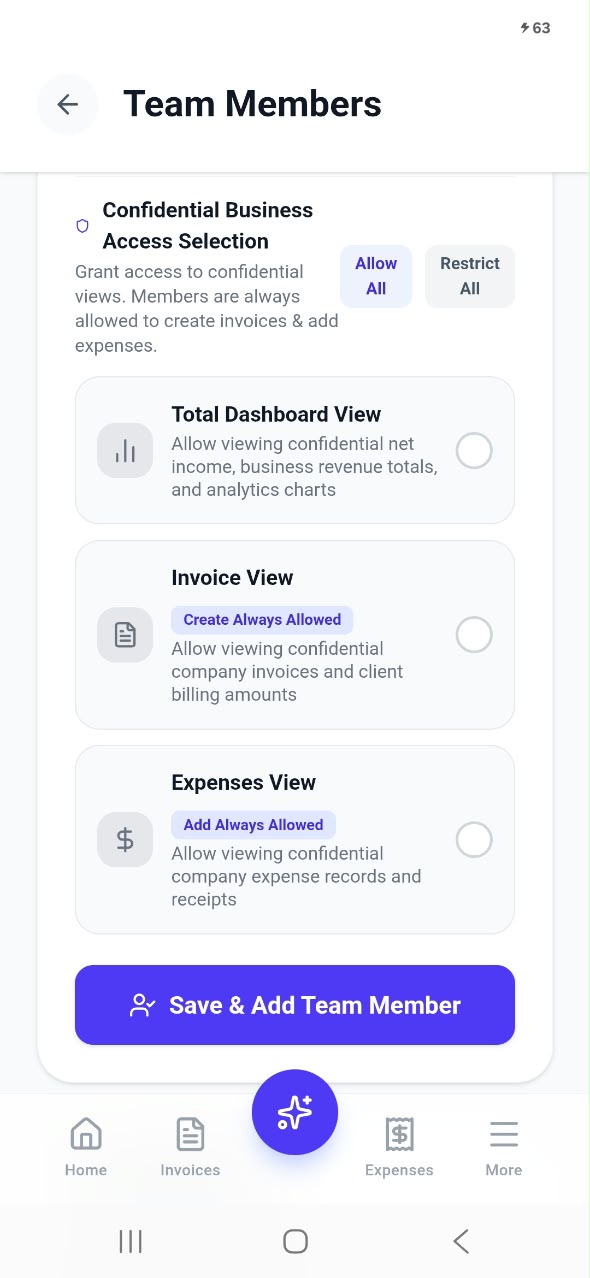
Let your team help, safely
Add team members so staff can create invoices and log expenses from their own phones, while you decide whether they can see confidential totals, invoices or expense records. You get help without giving away your whole business.
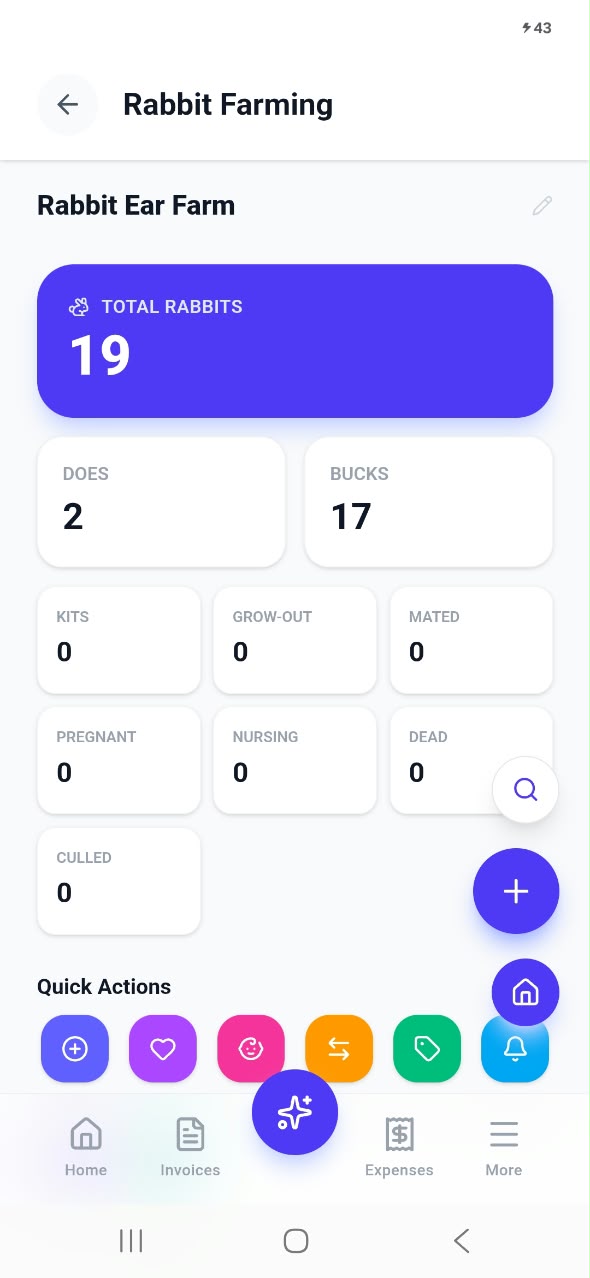
Tools built for your industry
Invoiceror goes beyond invoicing with Industry Solutions. Farmers can already manage rabbit farming in AgriBiz, tracking stock, breeding and sales, with invoices created automatically when animals are sold. More industries are on the way.
Who is the Invoiceror app for?
If you send invoices and want to know your profit without hiring a bookkeeper, the app is for you. Our users include:
- Freelancers and consultants who invoice clients after each project or every month.
- Home businesses and online sellers who need to track stock, orders and payments.
- Service providers such as contractors, cleaners and repairers who work on site.
- Farmers and agricultural businesses who want farm records and sales in one place.
- Small teams that need a few people creating invoices and logging expenses.
Safe, simple and secure
Your business data is sensitive, so the app is built to protect it. Your data is stored securely in the cloud, not just on your phone, so losing your phone does not mean losing your records. With fingerprint login turned on, Invoiceror locks itself when you close it and only opens with your fingerprint or your phone's screen lock. And with team permissions, staff only see what you allow.
Want a full tour of every screen? Read our complete guide: Run Your Whole Business From Your Phone with the Invoiceror Android App.
Frequently asked questions
Is the Invoiceror Android app free to download?
Yes. The app is free on Google Play and you can start on the free Basic plan. Paid plans unlock higher limits and extra features whenever you need them.
Do I need a new account if I already use Invoiceror on the web?
No. Log in with the same email or Google account and all your data is there, kept in sync between your phone and the web app.
Can I send invoices on WhatsApp?
Yes. Every invoice has a WhatsApp button, plus options to email it, download a PDF or save it as a draft.
Download Invoiceror today
Send your next invoice from your phone, snap your next receipt, and see your profit in real time. It takes less than a minute to get started.
Related posts:
 Revolutionizing Your Business Workflow: The Definitive Guide to Using a Smart Invoice Generator in 2026
 The Future of Billing: Why Your 2026 Business Needs More Than Just a Free Invoice Template
 Beyond the Spreadsheet: Why a Smart Small Business Invoicing Tool is Your Best Hire in 2026
 Automated Invoicing: Effortless Billing for Your Business
 Cash Flow Management Software for Small Business: Your 2026 Guide
 Streamline Success: Top Customer Billing Software for 2026
 Seamless Invoice Payment Processing: Get Paid Effortlessly
 Invoice Management: Seamless Growth for Your Business
 Accounts Receivable Software: Stabilize Your Income in 2026
 AI Receipt Scanner vs Manual Expense Tracking