
Run Your Whole Business From Your Phone with the New Invoiceror Android App
Invoices, expenses, customers, inventory, reports, tasks and an AI business assistant, now in one fast, simple app built for small business owners who are always on the move.
If you run a small business, you already know the feeling: you finish a job, the customer is standing right in front of you, and the invoice is "something to do later" on the laptop at home. Receipts pile up in your wallet. You are not sure which customers have paid. And by the end of the month, nobody can tell you whether you actually made a profit.
We built the Invoiceror Android app to fix exactly that. Everything you can do on the Invoiceror web app now lives in your pocket, redesigned for a phone screen, so you can create an invoice in the time it takes to say "thank you", snap a receipt the moment you get it, and check your profit while waiting for your coffee.
In this guide we walk through every part of the app, screen by screen, so you know exactly what it can do for your business, and how to get started in a few minutes.
What's new in the latest version
Before we tour the features, here is what the newest update brings. We focused on one thing: making it faster and easier to get into the app, and safer once you are in.
Look around before you sign up
New visitors now land on a preview of the dashboard and the full bottom menu, so you can see how Invoiceror works before creating an account.
One-tap Google sign-in
Pick your Google account from your phone's own account list and you are in. No browser pop-ups, no passwords to remember.
Fingerprint login
Turn on fingerprint (or face) unlock and open Invoiceror with one touch, just like your banking app. Your revenue and customer data stay private if someone else picks up your phone.
A simpler login screen
Signing in is now just your email and password. Creating an account takes one short form and a quick "I'm not a robot" tick.
Your business dashboard, at a glance
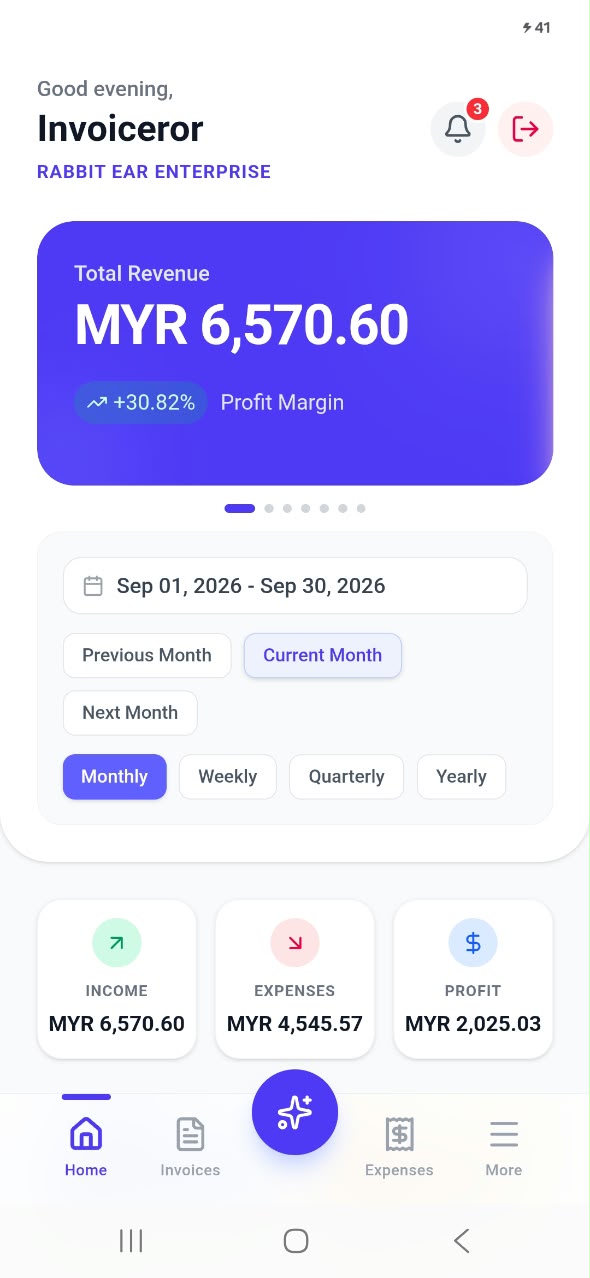
The moment you open the app you see the numbers that matter most. The dashboard greets you by name, shows your business name, and puts your total revenue and profit margin right at the top. Swipe the big card to switch between revenue, expenses and other key totals.
Below it, choose the period you want to look at: previous month, current month or next month, and switch between monthly, weekly, quarterly or yearly views. Three quick cards show your income, expenses and profit for that period, and tapping any of them opens a detailed breakdown.
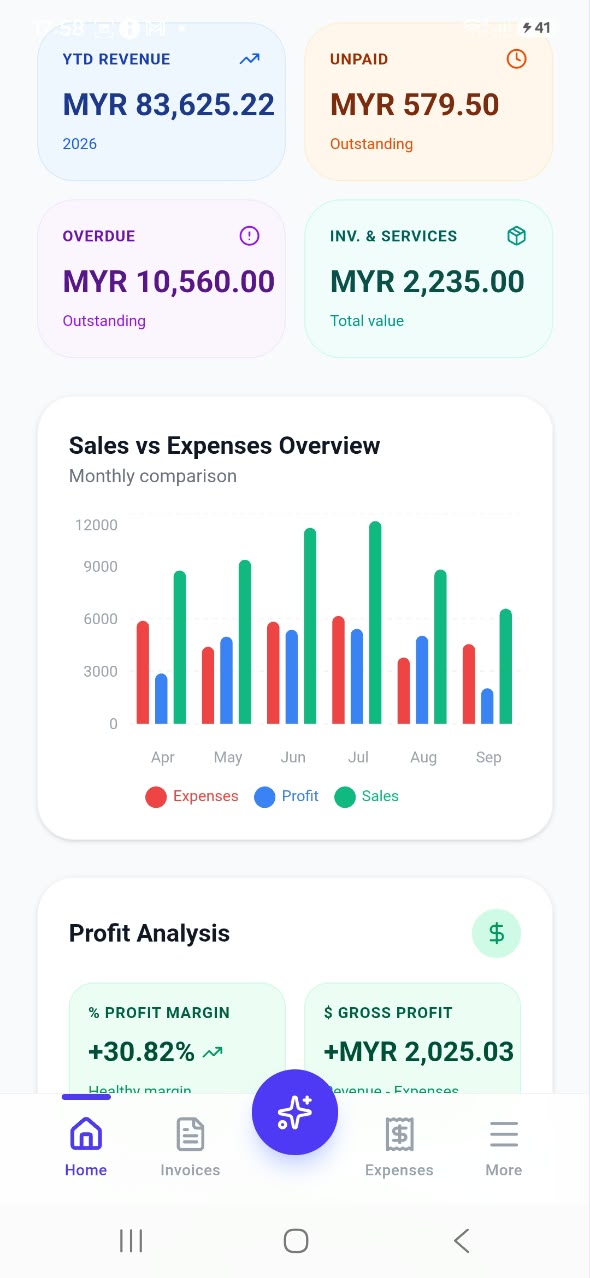
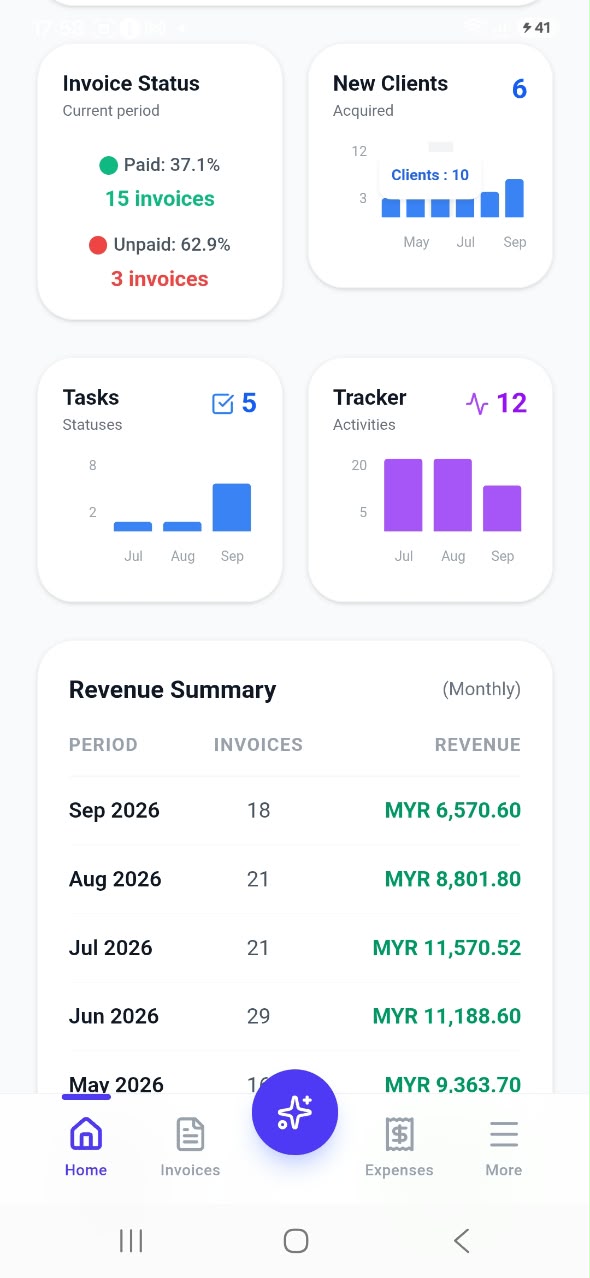
Scroll further and the dashboard becomes a full business report: year-to-date revenue, how much is unpaid and overdue, the total value of your inventory and services, a sales vs expenses chart comparing the last six months, and a profit analysis with your margin and gross profit. You also see how many invoices are paid or unpaid, how many new clients you gained, your open tasks, your tracked activities, and a revenue summary for each month. It is the kind of overview most small businesses only get from an accountant, updated live every time you create an invoice or log an expense.
Invoices and quotations in seconds
The Invoices tab lists every document you have created, newest first. At the top you can see the total of all invoices, how much is overdue and how much is paid, so you always know where your cash flow stands. Each invoice shows the date, customer, invoice number, amount and a clear status such as Sent (Unpaid) or Paid & Fulfilled. Use the search bar or filter to find any invoice instantly.

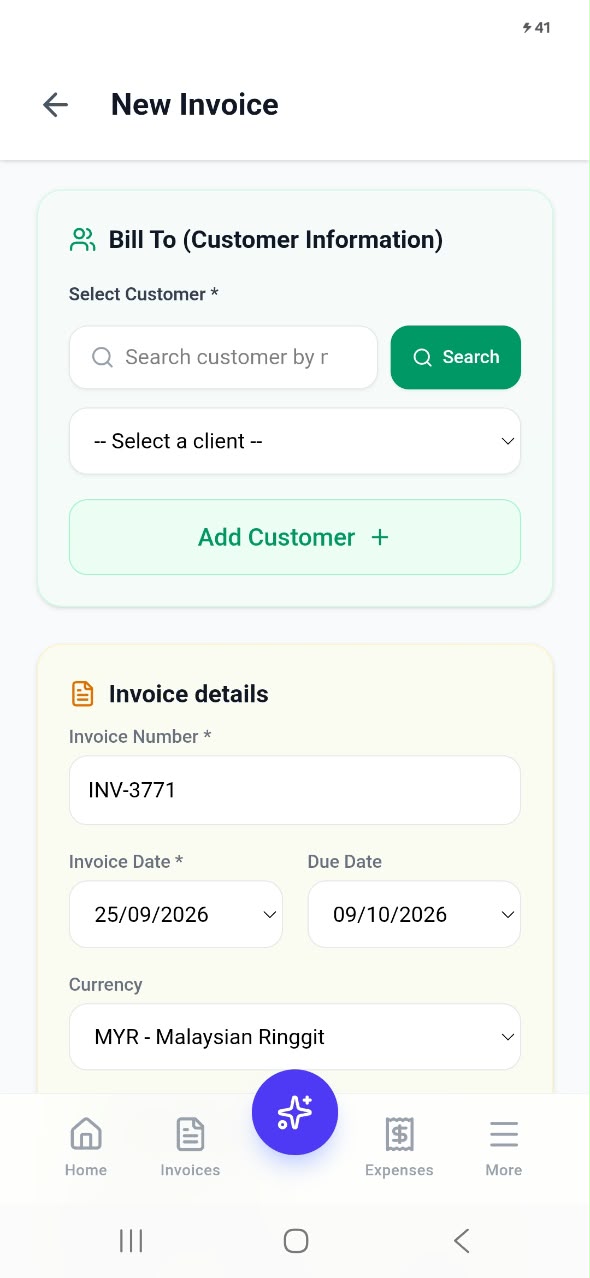
Tap the + button to create a new document. Choose the customer, then add your items. You do not need to type everything every time: tap Manage Items to pull products and services straight from your inventory, or use Scan to add an item by its barcode. Set the quantity and rate and Invoiceror calculates the subtotal, shipping, discount, tax and total for you.
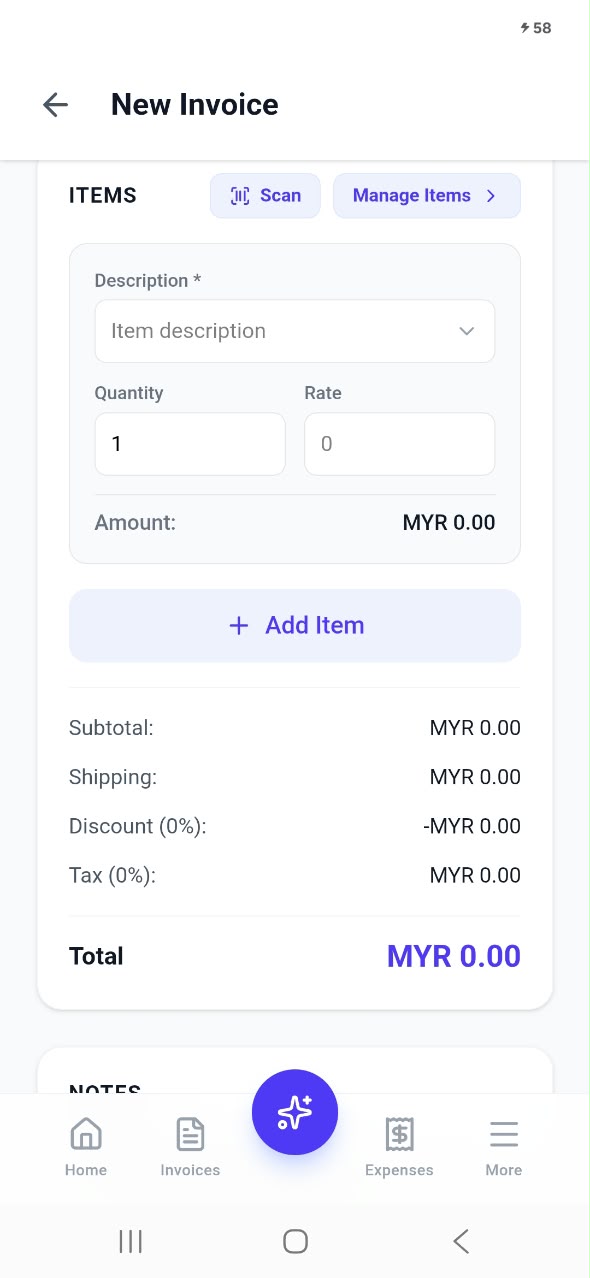
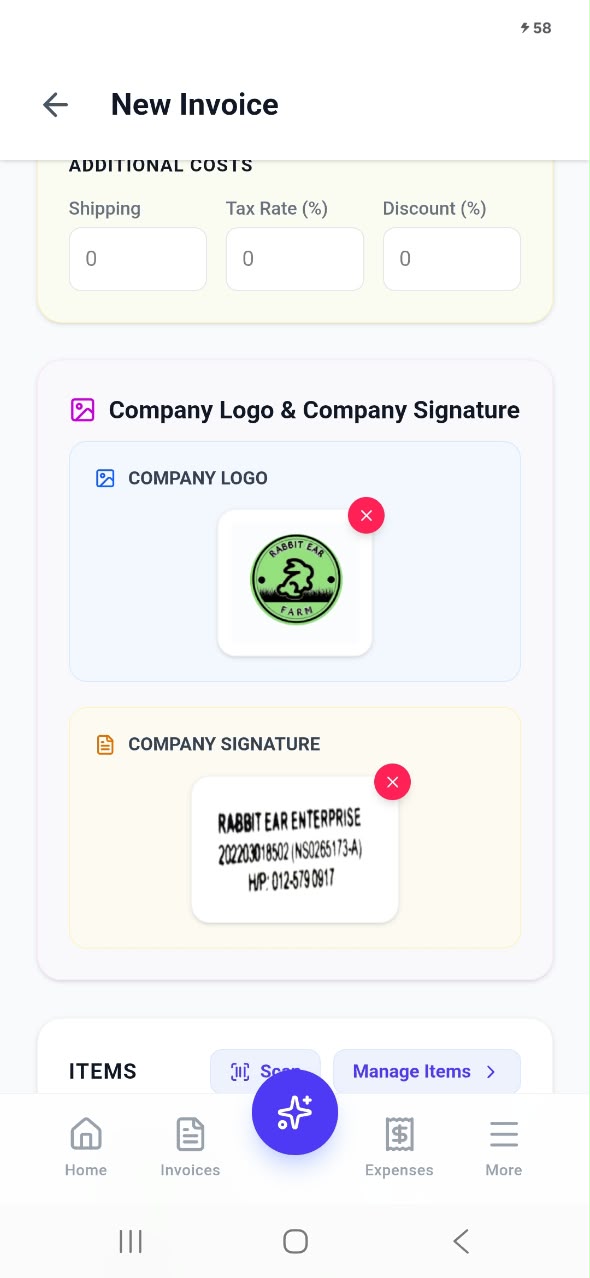
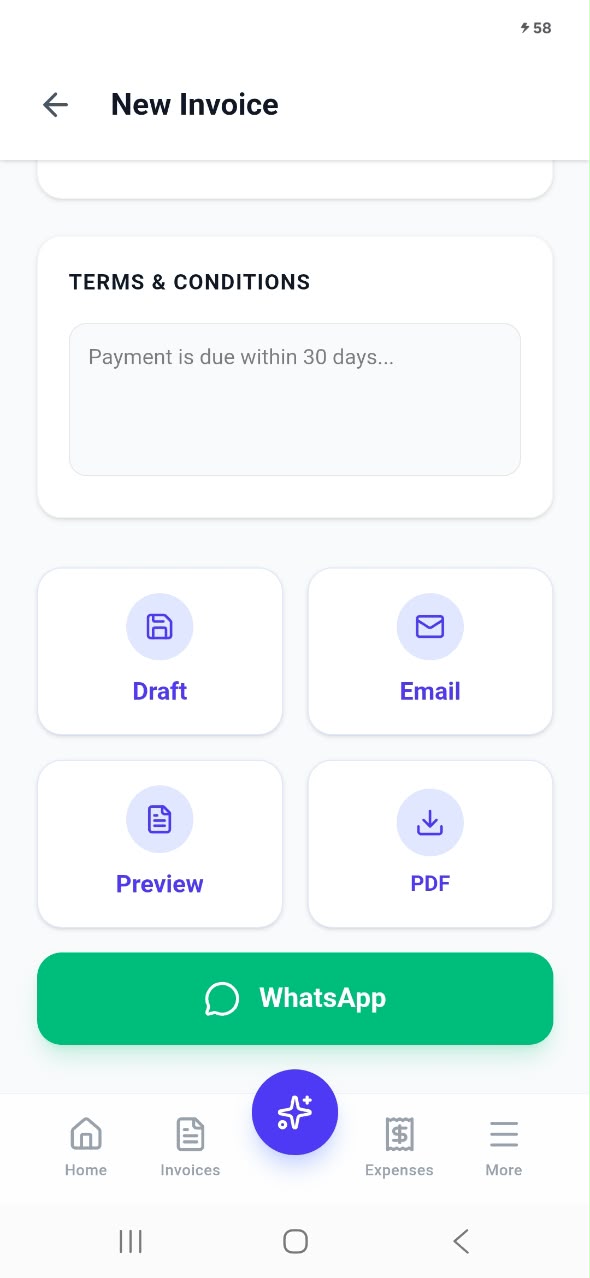
Add your business logo, notes and your payment terms (for example, "Payment is due within 30 days"), then pick what to do next: save it as a draft, preview it, send it by email, download a PDF, or share it on WhatsApp in one tap. For customers who pay every month, set the invoice to recurring and Invoiceror will create it for you on schedule. You can also prepare quotations (estimates) for customers before they commit.
Meet EVO-AI, your business assistant
The glowing button in the middle of the bottom menu opens EVO-AI, your intelligent business assistant. Instead of filling in forms, you can simply tell EVO-AI what you need, by typing or by tapping the microphone and speaking.
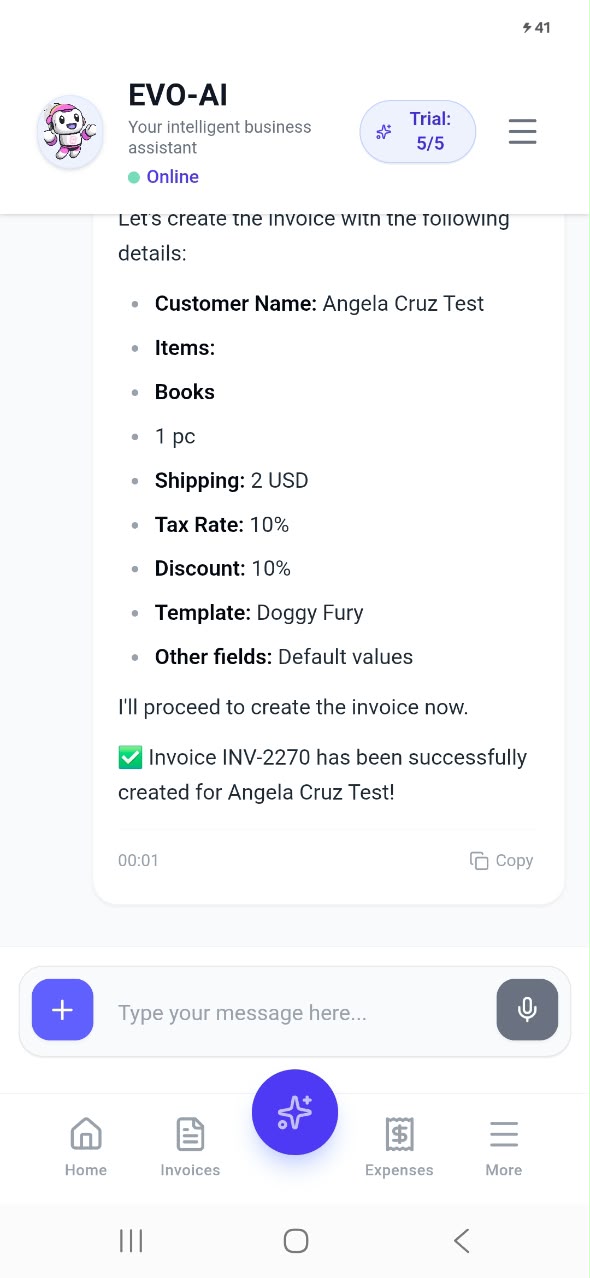
For example, you can say: "Create an invoice for Angela for one book, 2 dollars shipping, 10% tax and 10% discount." EVO-AI confirms the details (customer, items, shipping, tax rate, discount and template) and creates the invoice in seconds. You can also ask it to log an expense, scan a receipt, or answer questions about your business, such as which month had the highest sales or how much a customer owes you. New users can try EVO-AI with free trial requests before upgrading.
Expenses and the AI receipt scanner
Knowing your profit means knowing your costs. The Expenses tab shows your total spending for the month and how many expenses you recorded, followed by every expense with the supplier, date, amount and category, such as feed, packaging or equipment. Search and filter to find any expense quickly.
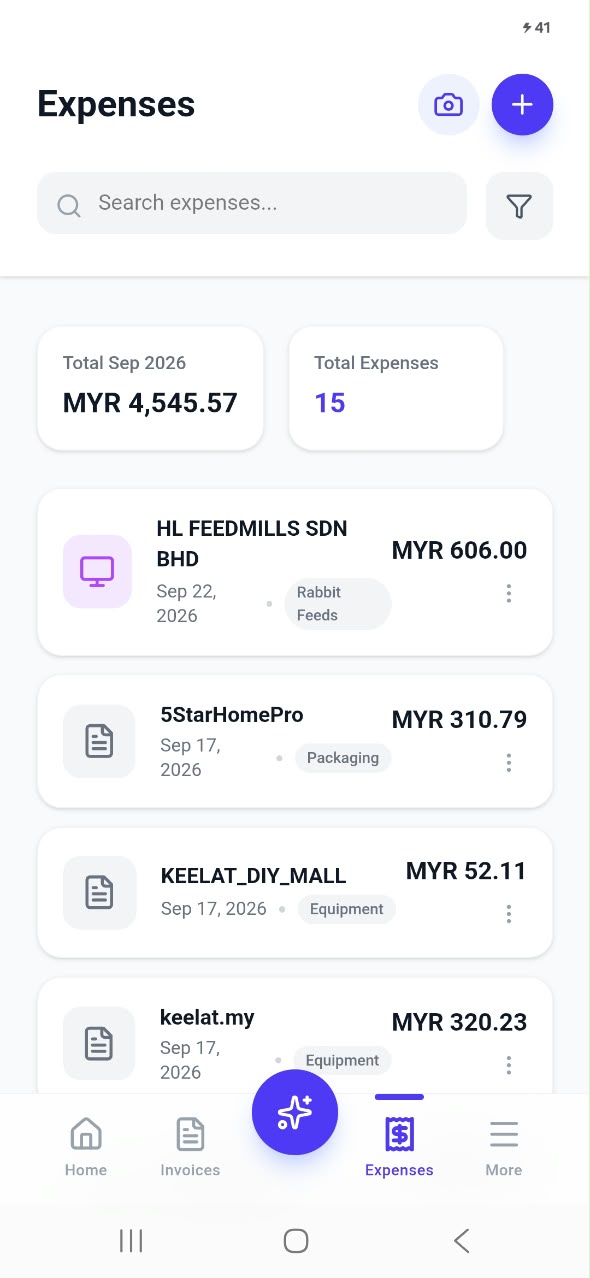
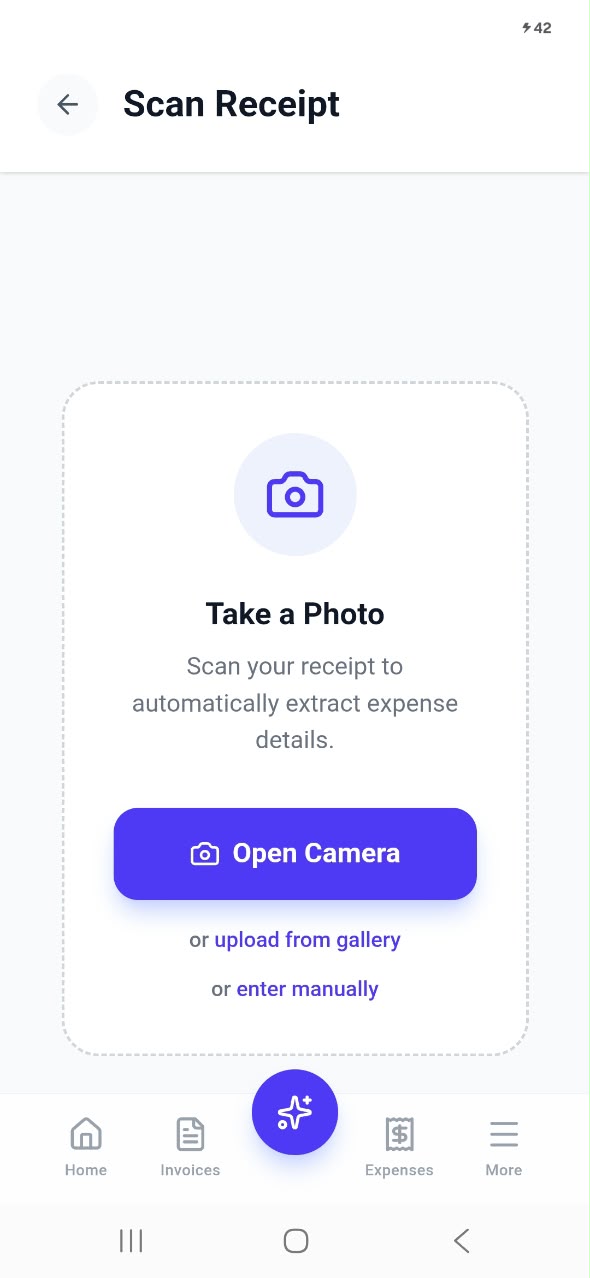
The best part is the AI receipt scanner. Tap the camera icon, take a photo of your receipt (or pick one from your gallery), and Invoiceror reads it and fills in the expense details automatically. Prefer to type it yourself? Choose enter manually. No more shoebox of faded receipts at the end of the year: every expense is saved the moment you pay.
Your customers, all in one place
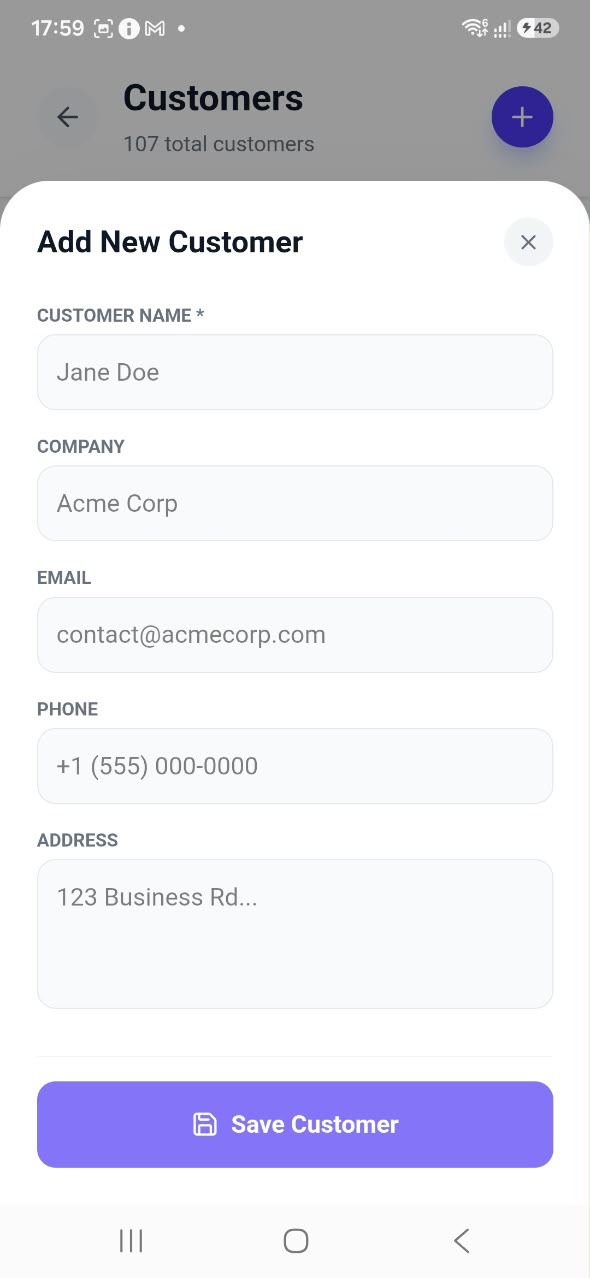
The Customers list keeps every client's details together: name, company, email, phone number and address, each with its own customer ID. Search by name to find someone instantly, edit their details, or add a new customer in a few taps. When you create an invoice, your customers are right there to choose from, so you never type the same address twice.

Products, services and inventory
Whether you sell products, services or both, the Products, Services & Inventory page keeps your catalogue organised. At the top you see how many items you have, how many are in stock and how many are running low. Each item shows its price, how many units you have, the total stock value and a clear stock status.
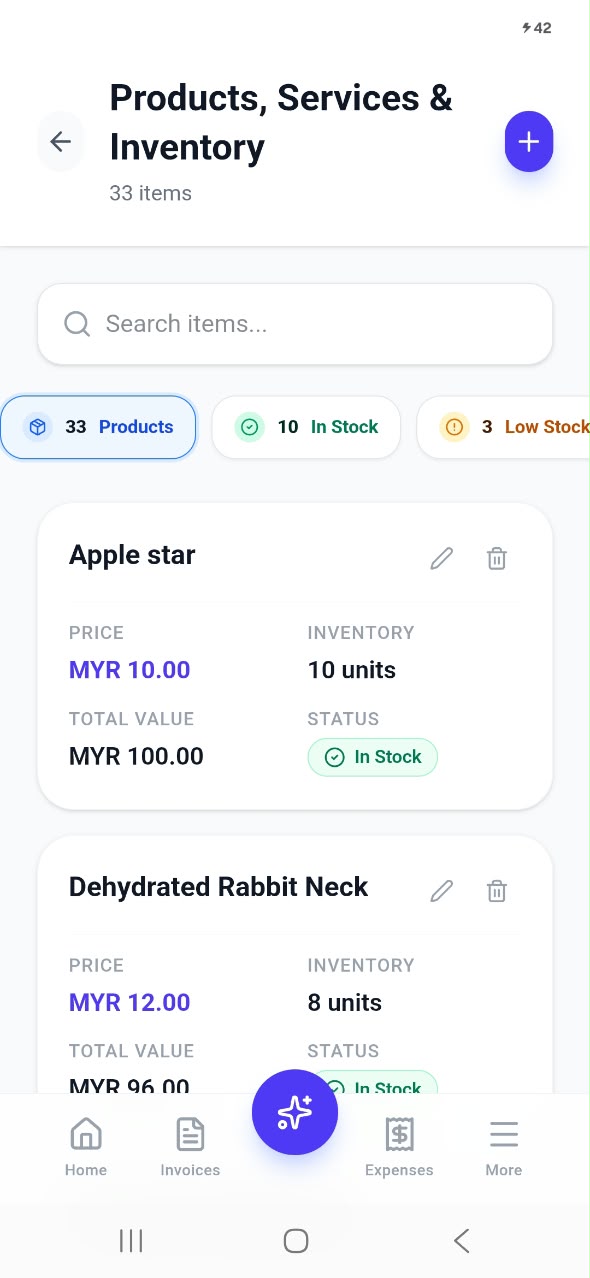
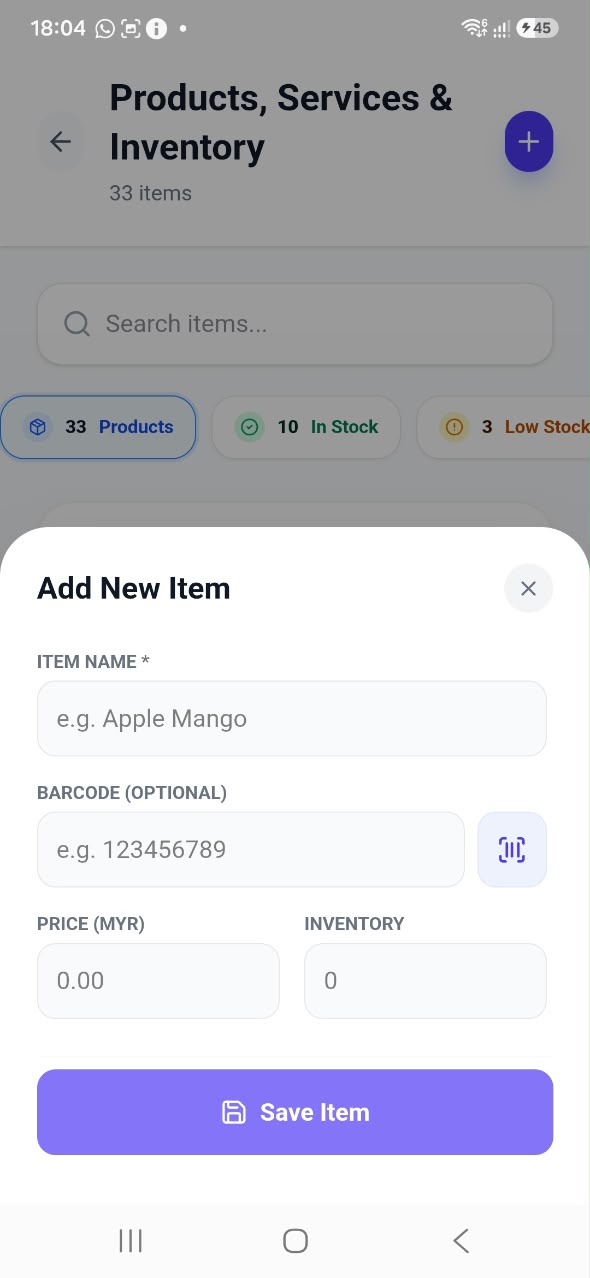
Because your inventory is connected to your invoices, adding an item to an invoice is a single tap, and you can see at a glance which products need restocking before you run out. Low-stock warnings help you reorder in time instead of disappointing a customer.
Sales reports you can export
Need numbers for your accountant, a bank, or your own planning? The Sales Reports page summarises any period you choose: total sales, the number of documents issued, how many customers bought from you, your collection rate (how much of your sales has been paid), and how many paid orders have been fulfilled.
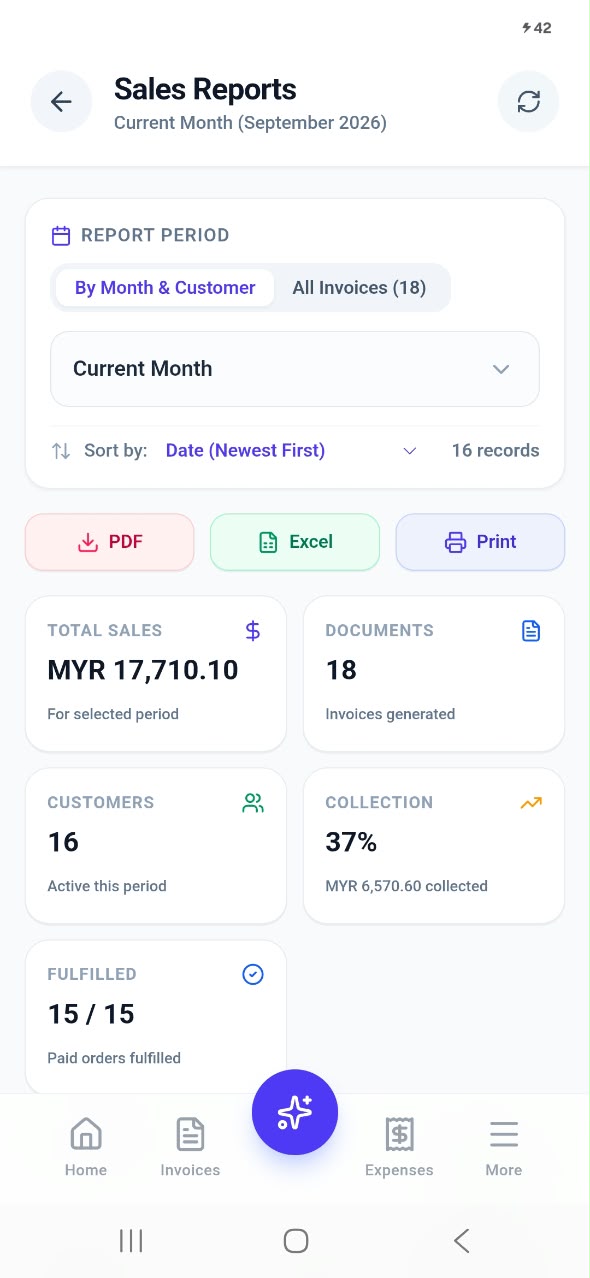
View reports by month and customer, or list every invoice, sort them the way you like, and export with one tap to PDF or Excel, or print them directly. What used to take an afternoon of spreadsheets now takes seconds.
Tasks, daily tracker and business notes
Running a business is more than invoices. Invoiceror includes simple productivity tools so your to-dos, appointments and ideas live in the same place as your sales.
Task Tracker
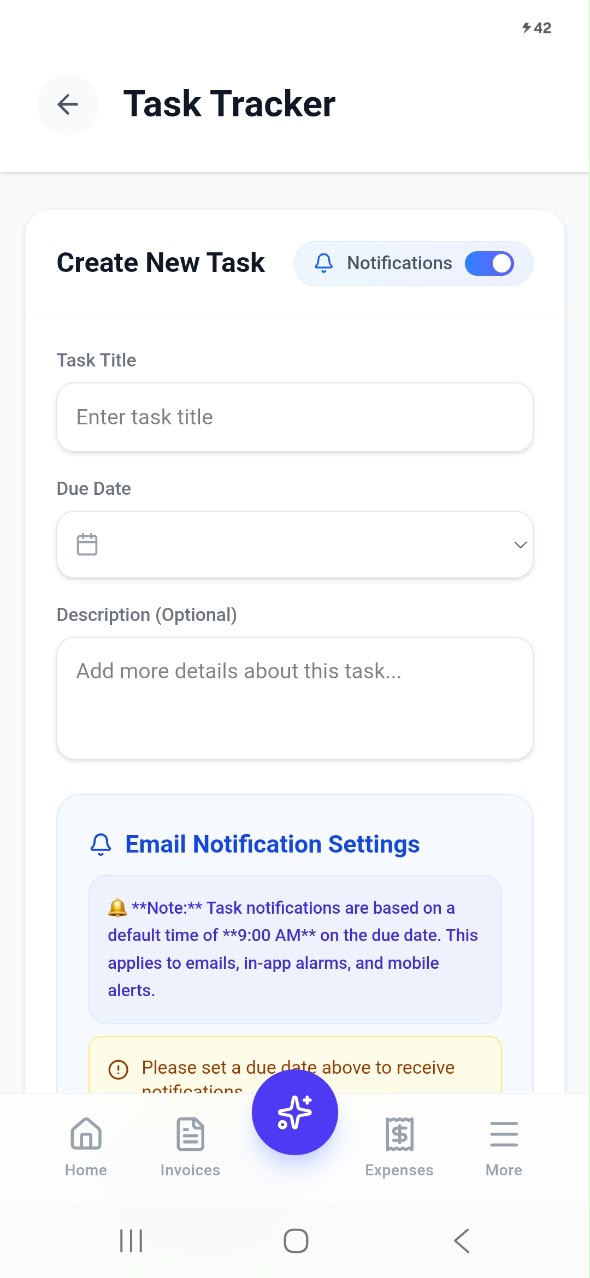
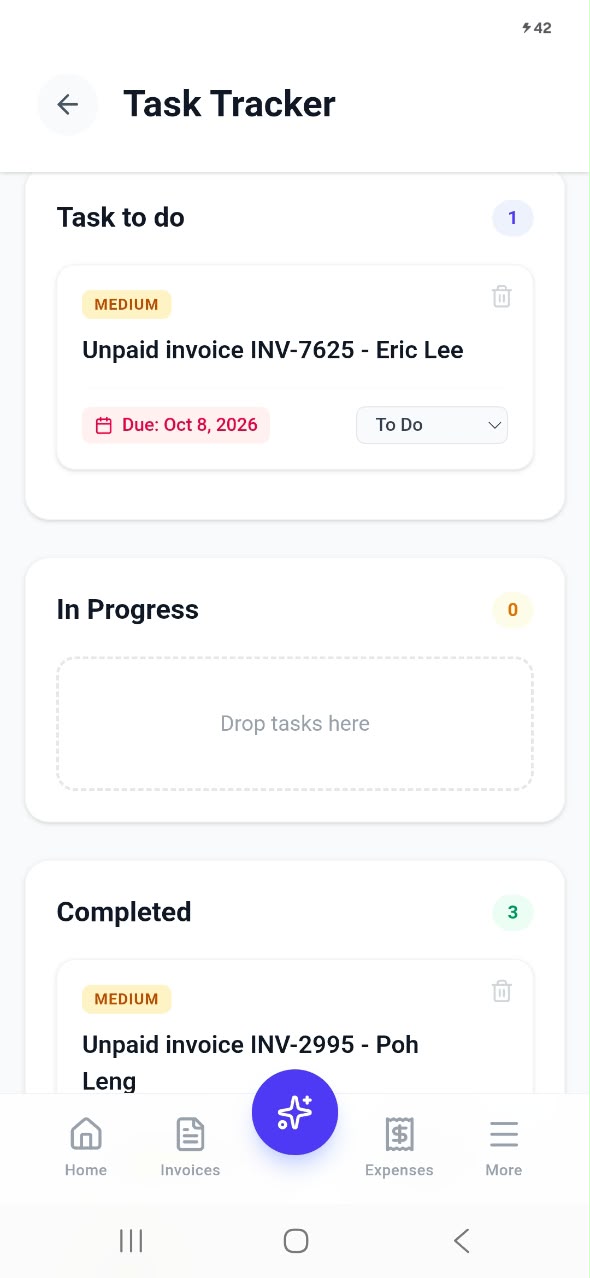
Create a task with a title, due date and description, and turn on notifications to get a reminder by email, in-app alarm and mobile alert on the due date. Your task list shows everything that is pending, so nothing slips through the cracks, whether it is "deliver order to customer" or "pay supplier".
Daily Tracker
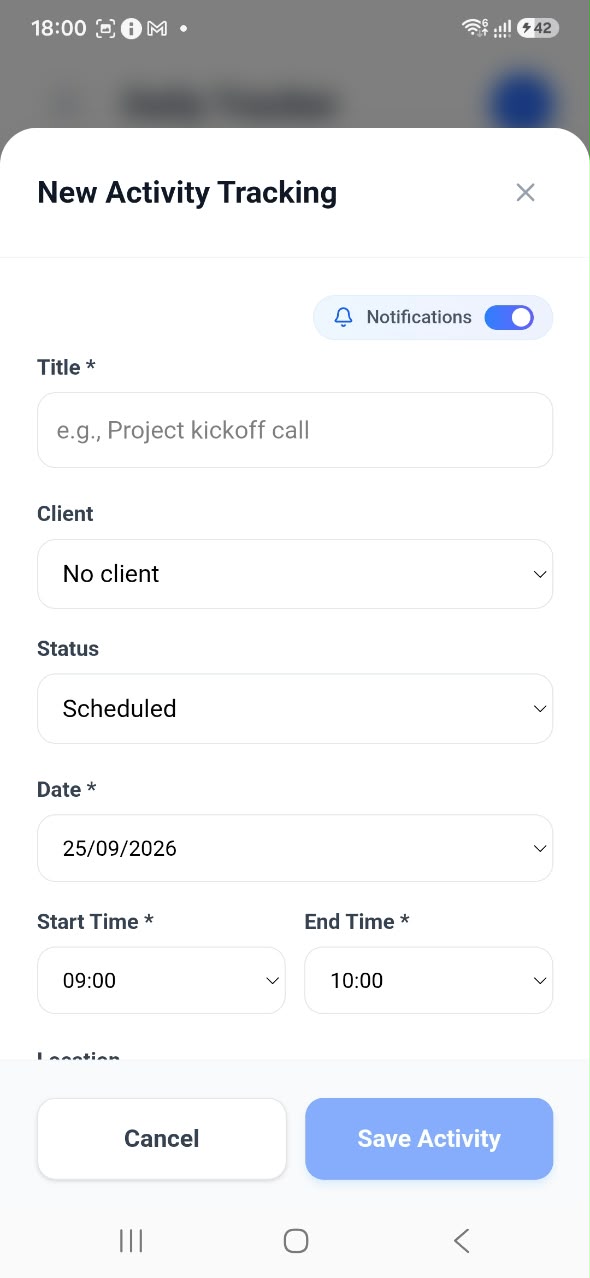
Plan your day with the Daily Tracker. Log an activity such as a client meeting, a delivery or a site visit, link it to a customer, set its status, date, start and end time and location, and switch on notifications so you are reminded before it starts. Your tracked activities also appear on the dashboard, so you can see how busy each month has been.
Business Notes
Got an idea, an order detail or something to remember? Jot it down in Business Notes. Notes are searchable and can be pinned to the top, so important reminders are always within reach.

The More page and industry solutions
Tap More in the bottom menu to reach everything else, neatly grouped into sections: Create (new invoice, AI receipt scan, add customer), Manage Business (customers, inventory, recurring invoices, reports), Productivity (tasks, time tracker, daily tracker, business notes), Industry Solutions, Account & Billing (subscription, pricing, Stripe payments, profile, settings) and Resources & Support (knowledge base, video tutorials and support).
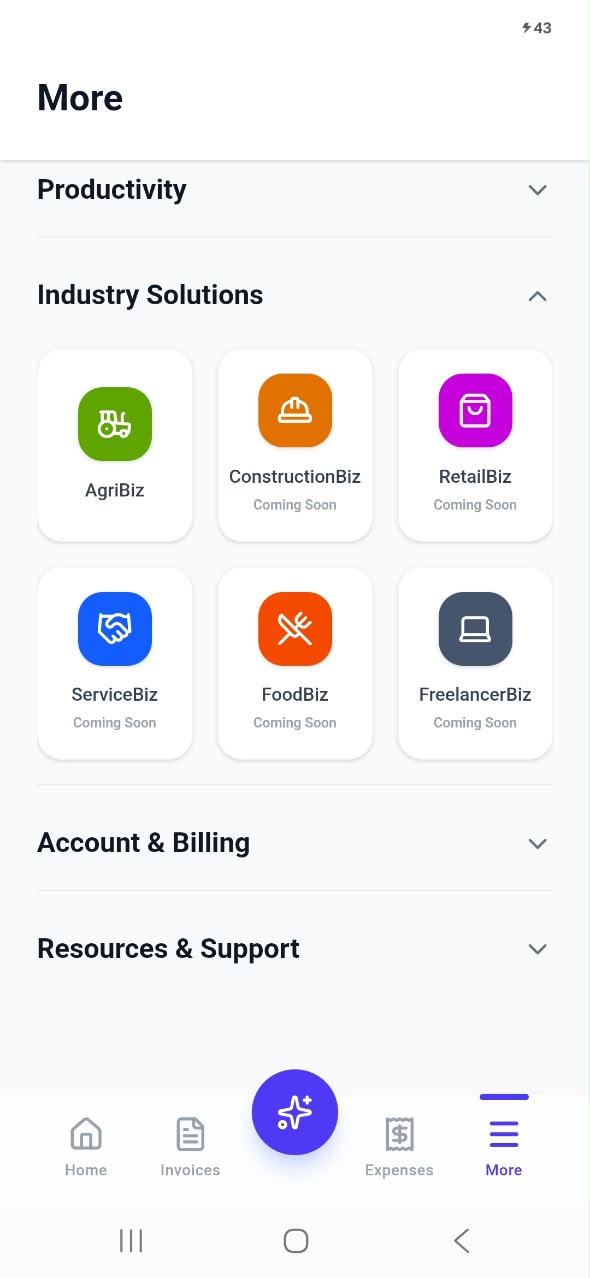
Industry Solutions are tools built for specific types of business. AgriBiz is available now, and ConstructionBiz, RetailBiz, ServiceBiz, FoodBiz and FreelancerBiz are on the way, each designed around the day-to-day work of that industry.
AgriBiz: farm management built in
Many of our users are farmers and agricultural businesses, so we built AgriBiz to help manage farm operations alongside sales and expenses. Rabbit Farming is live today, with goat, chicken, cow, vegetable, fish and pig farming coming soon.
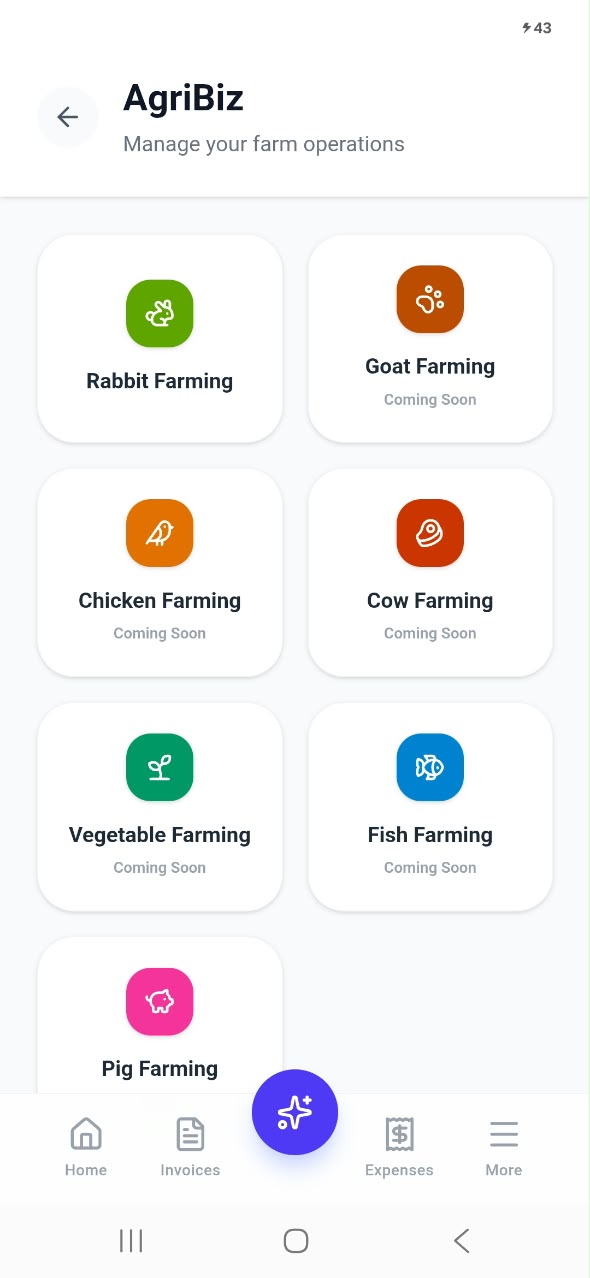
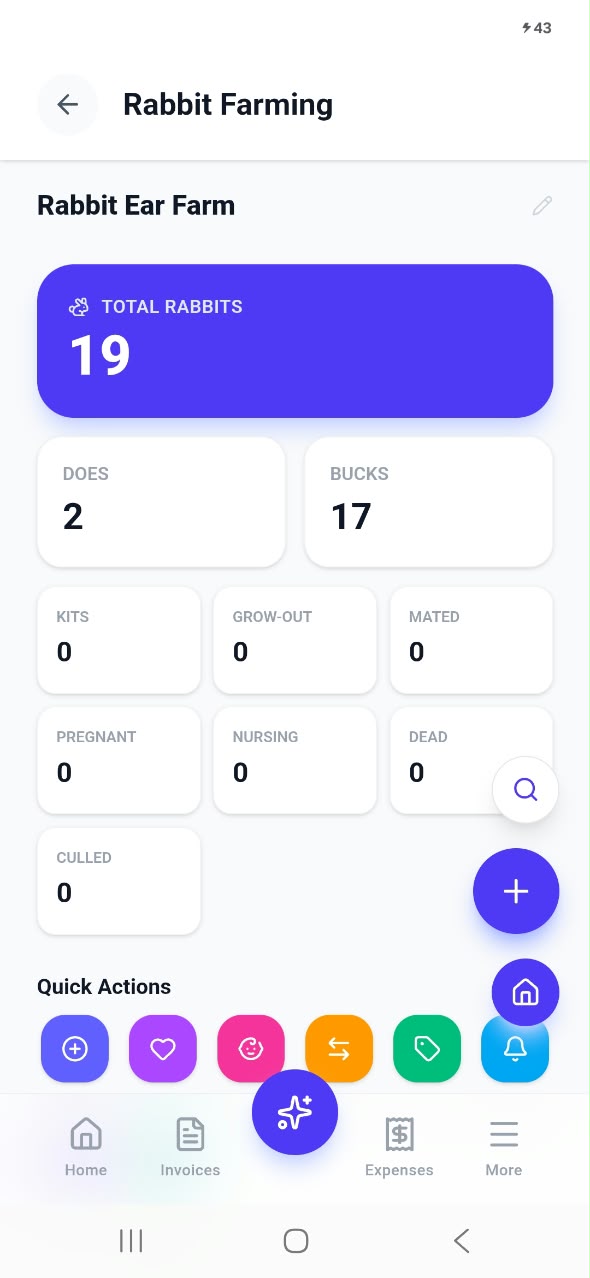
The rabbit farming dashboard shows your total rabbits and breaks them down into does, bucks, kits, grow-out, mated, pregnant, nursing, dead and culled. Quick action buttons let you add a rabbit, record breeding and births, transfer cages, sell a rabbit and set reminders. When you sell a rabbit, Invoiceror creates the invoice for you, so your farm records and your sales stay in sync.
Team members and the affiliate program
Add team members safely
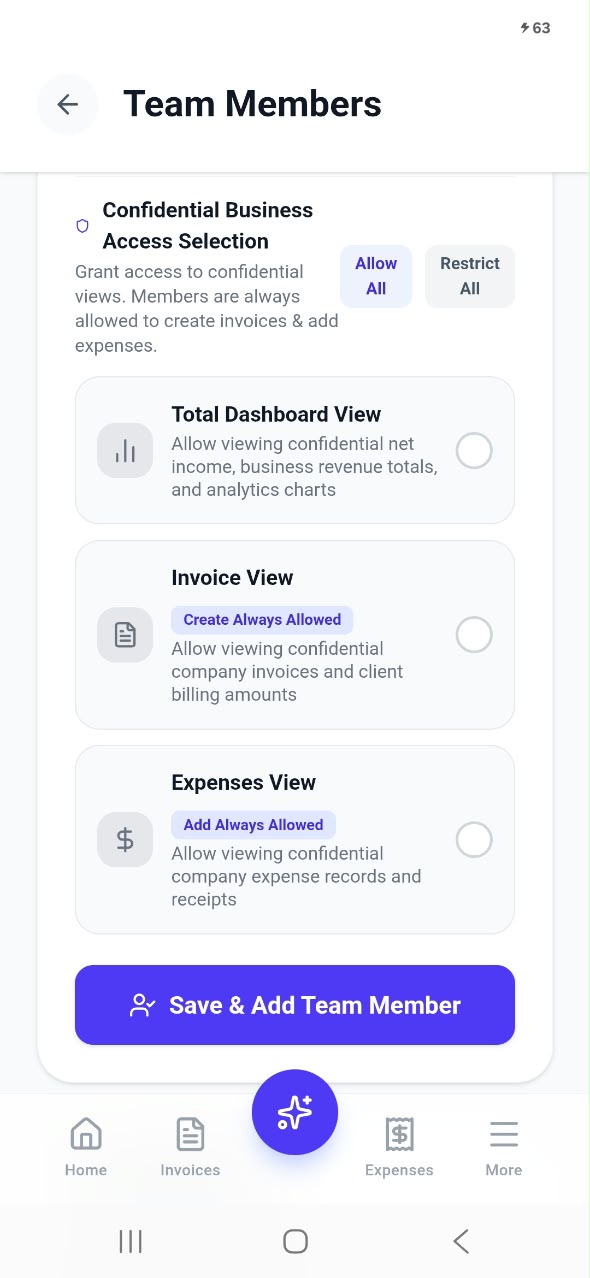
Growing? Invite team members to help with invoices and expenses without giving away everything. You decide exactly what each person can see: the full dashboard with revenue totals and analytics, the invoice list and client billing amounts, and the expense records and receipts. Team members can always create invoices and add expenses, but confidential business figures stay private unless you allow them.
Earn with the affiliate program
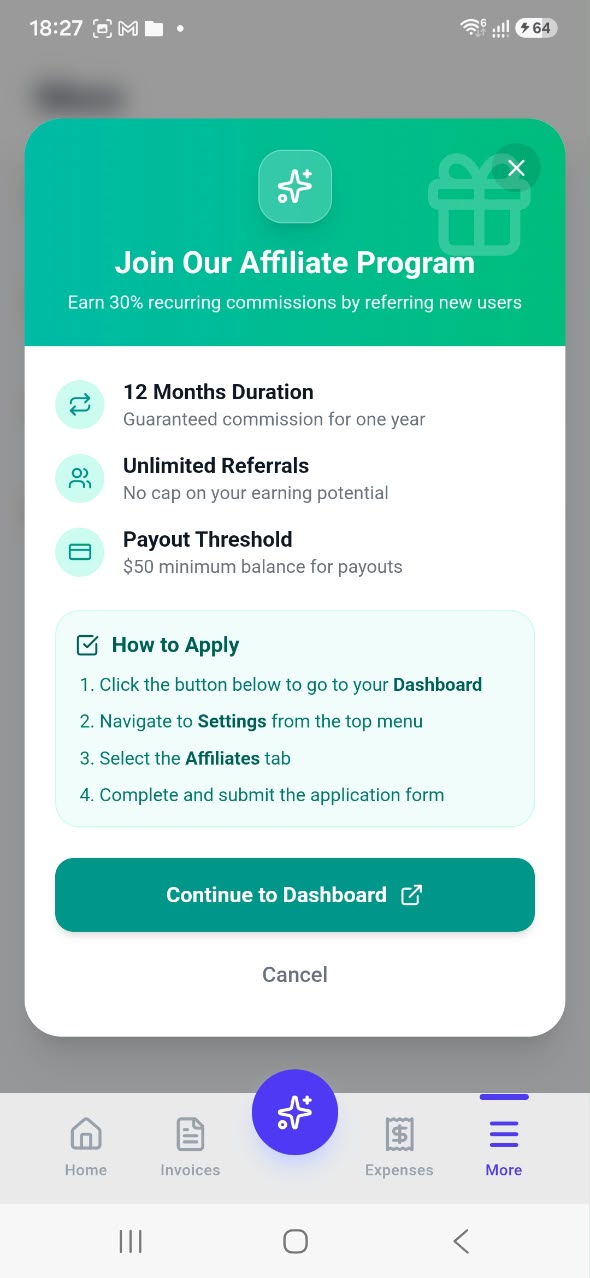
Love Invoiceror? Recommend it and get paid. Our affiliate program pays a 30% recurring commission on the users you refer, for 12 months, with unlimited referrals and a $50 minimum payout. Open More → Affiliate Program in the app to see how to apply.
How to get started in 5 minutes
- Download the app from Google Play.
- Sign up with Google in one tap, or with your email and a password. Already use Invoiceror on the web? Just log in, and all your data is already there.
- Turn on fingerprint login when the app offers it, so you can open Invoiceror with a touch next time.
- Add your business details and logo, then add a few customers and products.
- Create your first invoice and send it on WhatsApp or email. Then snap your next receipt with the AI scanner and watch your dashboard come to life.
Frequently asked questions
Is the Invoiceror Android app free?
Yes, you can download the app and start on the free Basic plan. Paid plans unlock higher limits and extra features, and you can upgrade any time from More → Subscription Plan.
Can I use the same account on the web and on my phone?
Yes. Log in with the same email or Google account and your invoices, expenses, customers and inventory are all there, kept in sync automatically.
How do I send an invoice on WhatsApp?
Create or open an invoice, scroll to the bottom and tap the green WhatsApp button. You can also send it by email, download a PDF or save it as a draft.
How does the AI receipt scanner work?
Open Expenses, tap the camera icon and take a photo of your receipt (or choose one from your gallery). Invoiceror reads the receipt and fills in the expense details for you to check and save.
Is my business data safe?
Your data is stored securely in the cloud and is only visible to you and the team members you allow. With fingerprint login turned on, the app locks itself when you close it and only opens with your fingerprint or your phone's screen lock.
Where can I learn more?
Watch our step-by-step Android app video tutorials, or open More → Knowledge Base and Support inside the app.
Your business, in your pocket
Create invoices, track expenses, manage customers and stock, and see your profit, anywhere you are. Download Invoiceror for Android today.