


January 30, 2026
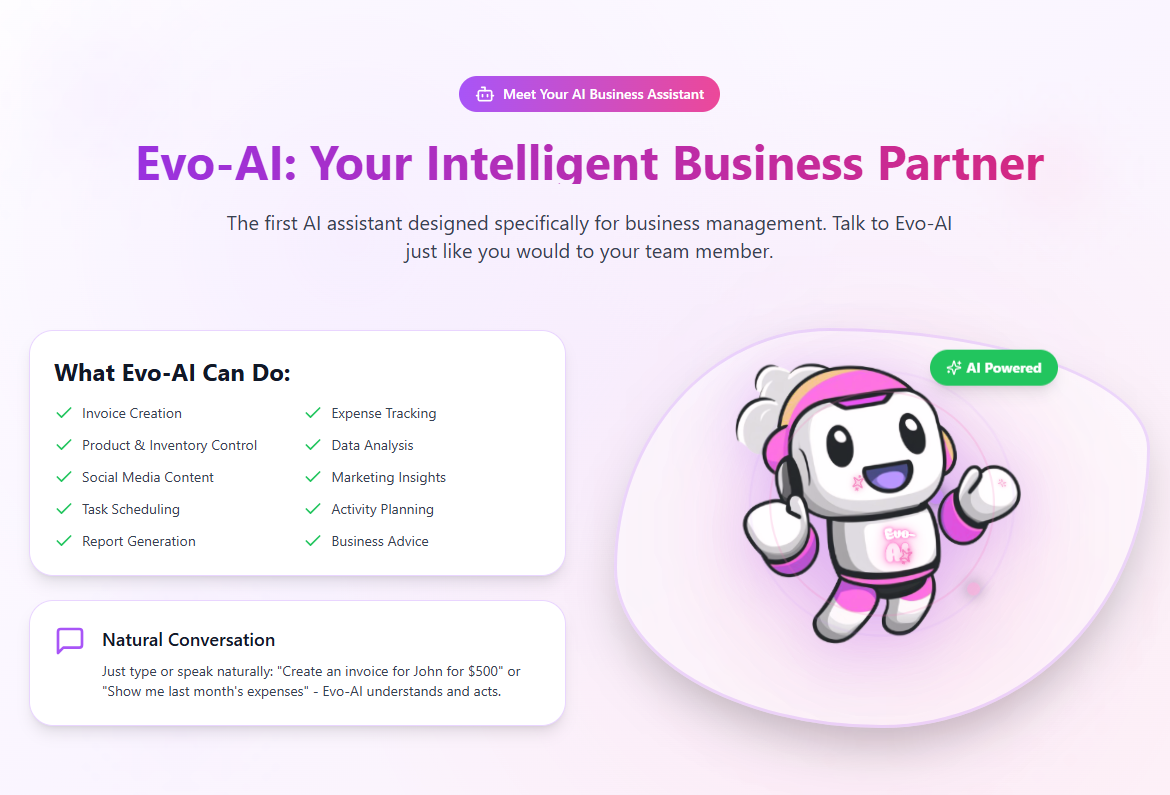
Running a business means making decisions every day. Evo-AI is built to guide you with real-time insights, not guesses.
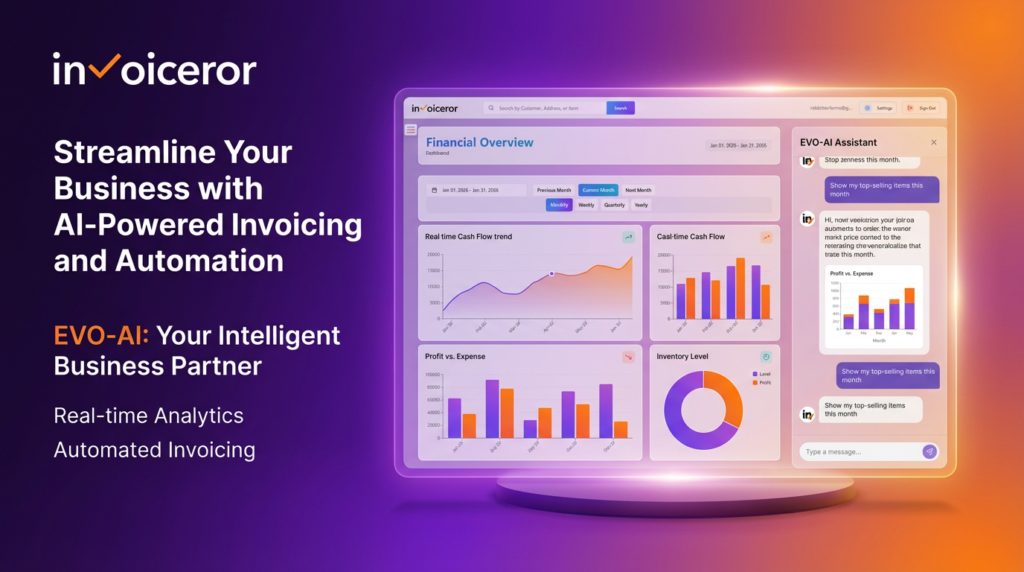
Evo-AI automatically tracks and analyzes your sales, expenses, and customer activity in real time. By pulling data directly from invoices, expenses, and inventory, it helps business owners clearly understand performance trends without needing spreadsheets or manual financial analysis.
Instead of showing confusing reports, Evo-AI explains what your numbers actually mean. It provides simple, actionable recommendations—such as improving cash collection or optimizing costs—so you can make smarter business decisions faster, even without accounting expertise.
Evo-AI continuously monitors unpaid invoices, recurring expenses, and income patterns to identify potential cash flow risks early. This proactive approach helps businesses avoid late payments, maintain healthy finances, and plan ahead with confidence.
By automating financial insights and reporting, Evo-AI significantly reduces the time spent on manual data analysis. Business owners can focus on growth, customers, and strategy while Evo-AI handles the behind-the-scenes financial intelligence.
Modern businesses generate massive amounts of financial data every day—from invoices and expenses to customer payments and inventory movement. The challenge isn’t collecting data anymore; it’s understanding it quickly and using it to make smarter decisions. This is where Evo-AI: Your Intelligent Business Partner inside app.invoiceror.com changes the game.
Evo-AI is designed to act as a built-in business intelligence layer for growing businesses and SMEs. Instead of requiring users to manually analyze spreadsheets or interpret complex dashboards, Evo-AI automatically analyzes sales performance, operating expenses, and customer trends in real time. By continuously processing invoice data, expense records, and transaction histories, Evo-AI provides a clear, accurate picture of business performance without manual intervention.
What sets Evo-AI apart from traditional reporting tools is its focus on actionable insights rather than raw data. Instead of presenting endless charts and numbers, Evo-AI translates financial data into meaningful recommendations. For example, it can highlight declining sales trends, identify unusually high expenses, or suggest improvements in customer payment behavior. This allows business owners to take immediate action without needing advanced accounting or data analysis skills.
Cash flow management is another critical area where Evo-AI delivers real value. By monitoring unpaid invoices, recurring expenses, and historical payment patterns, Evo-AI can identify potential cash flow risks early. These early warnings help businesses stay proactive, avoid liquidity issues, and maintain financial stability—especially important for fast-growing companies and small businesses with tight margins.
From an efficiency standpoint, Evo-AI significantly reduces the time spent on manual business analysis. Tasks that traditionally required hours of reviewing reports or exporting data are automated within the platform. This allows founders, finance teams, and operations managers to shift their focus from number-crunching to strategic planning and growth.
By combining AI-driven financial intelligence, automated analysis, and practical recommendations, Evo-AI transforms Invoiceror from a simple invoicing tool into a complete AI-powered SaaS business management solution. It’s not just about viewing data—it’s about understanding your business and making confident decisions faster, with Evo-AI working quietly in the background as your intelligent business partner.
Stay in Control of Your Inventory with Real-Time Updates
Track Every Expense Automatically Without Spreadsheets with AI Receipt Scanning

Create Professional Invoices in Seconds with Smart Invoice Creation

Know Which Invoices Are Paid, Pending, or Overdue at a Glance

Get a Real-Time View of Your Business Finances Dashboard

How to Set Up Your Account Settings in Invoiceror (Step-by-Step Guide After Sign-Up)

How to Use the Daily Activity Tracker in Invoiceror (Step-by-Step Guide)

How to Manage Invoices in the Documents Section of Invoiceror (Complete Step-by-Step Guide)

How to Send Invoices to Customers via WhatsApp, Email, or Download in Invoiceror

How the Invoice Color Status System Works in Invoiceror (Step-by-Step Guide)keep up out latest update Subscribe our newsletter!

© 2025 All Rights Reserved app.invoiceror.com
Get in touch with our support team. We're available via email or WhatsApp to help you with any questions.
Send us an email and we'll get back to you within 24 hours on business days.
Chat with us directly on WhatsApp for quick responses and real-time support.