

Are you a freelancer, independent professional, or an SME owner juggling client work with the daunting task of financial management? In 2026, the complexity of managing your income, expenses, and taxes can feel overwhelming, often diverting precious time and energy away from your core business activities. The good news is that powerful accounting software for freelancers has evolved dramatically, offering intuitive, automated solutions designed specifically for your unique needs. No longer do you need to dread tax season or spend countless hours on manual bookkeeping. This comprehensive guide will navigate you through the top choices, empowering you to reclaim your time, optimize your finances, and focus on what you do best: growing your business.
Why Dedicated Accounting Software for Freelancers is Non-Negotiable in 2026

The freelance economy is booming, and with growth comes increased responsibility. Gone are the days when a simple spreadsheet sufficed for managing your business finances. In today's dynamic market, robust accounting software for freelancers isn't just a convenience; it's a strategic necessity. It provides a crystal-clear financial overview, ensuring you always know your cash flow, profitability, and tax liabilities. Beyond basic record-keeping, modern freelance accounting tools automate repetitive tasks, reduce errors, and offer insights crucial for sustainable growth. Imagine the peace of mind knowing your invoices are sent automatically, payments are tracked, and every deductible expense is categorized correctly, all without manual intervention. This level of automation is critical for staying competitive, compliant, and profitable in 2026. Moreover, dedicated software helps you separate personal from business finances, a vital step for legal and tax purposes, offering unparalleled clarity and control over your financial destiny.
The True Cost of Manual Bookkeeping
Many freelancers initially rely on manual methods or basic spreadsheets, believing it saves money. However, this often proves to be a false economy. The time spent manually entering data, reconciling accounts, and preparing reports could be invested in billable work or business development. Furthermore, manual processes are prone to human error, which can lead to missed deductions, incorrect tax calculations, and even penalties. A missed payment due to poor tracking, or an oversight that results in an audit, can cost significantly more than the subscription fee for quality accounting software. A study by the U.S. Small Business Administration consistently highlights the importance of accurate financial records for small business success and longevity. Investing in smart financial management tools is an investment in your business's future.
Key Features to Look for in Freelance Accounting Software

When evaluating accounting software for freelancers, the sheer number of options can be daunting. To make an informed decision, focus on features that directly address the unique challenges of self-employment. The ideal platform should offer a seamless, integrated experience that covers all your financial bases. Here's a breakdown of must-have functionalities:
- Invoicing and Payment Tracking: Generate professional invoices quickly, customize them with your branding, and track their status in real-time. Look for options that support various payment gateways and send automated payment reminders.
- Expense Tracking and Categorization: Easily record business expenses, categorize them for tax purposes, and even snap photos of receipts with your phone. This is vital for maximizing deductions. You can learn more about maximizing your deductions with an effective Business Expense Tracker.
- Bank and Credit Card Integration: Automatically import transactions from your bank accounts and credit cards, saving hours of manual data entry and ensuring accuracy.
- Tax Preparation Support: Generate essential tax reports, estimate quarterly taxes, and easily export data for your accountant or tax filing software. Features like Schedule C categorization are a huge plus for freelancers.
- Reporting and Analytics: Gain insights into your financial health with customizable reports on profit and loss, cash flow, outstanding invoices, and more.
- Time Tracking: For service-based freelancers, integrated time tracking helps you accurately bill clients for your hours worked.
- Multi-Currency Support: If you work with international clients, the ability to invoice and track expenses in multiple currencies is essential.
- Project Management Integration: Some solutions offer basic project management features, allowing you to link expenses and time directly to specific projects.
- User-Friendly Interface: As a freelancer, your time is precious. Choose software with an intuitive design that requires minimal learning curve.
- Customer Support: Accessible and responsive customer support is invaluable for troubleshooting or navigating complex features.
Considering these features will help you narrow down your choices and select a platform that truly streamlines your financial workflow. For specific insights into powerful invoicing, you might explore how Invoiceror: Your Free Invoice Generator for Fast Billing simplifies this critical function.
Top Accounting Software for Freelancers in 2026
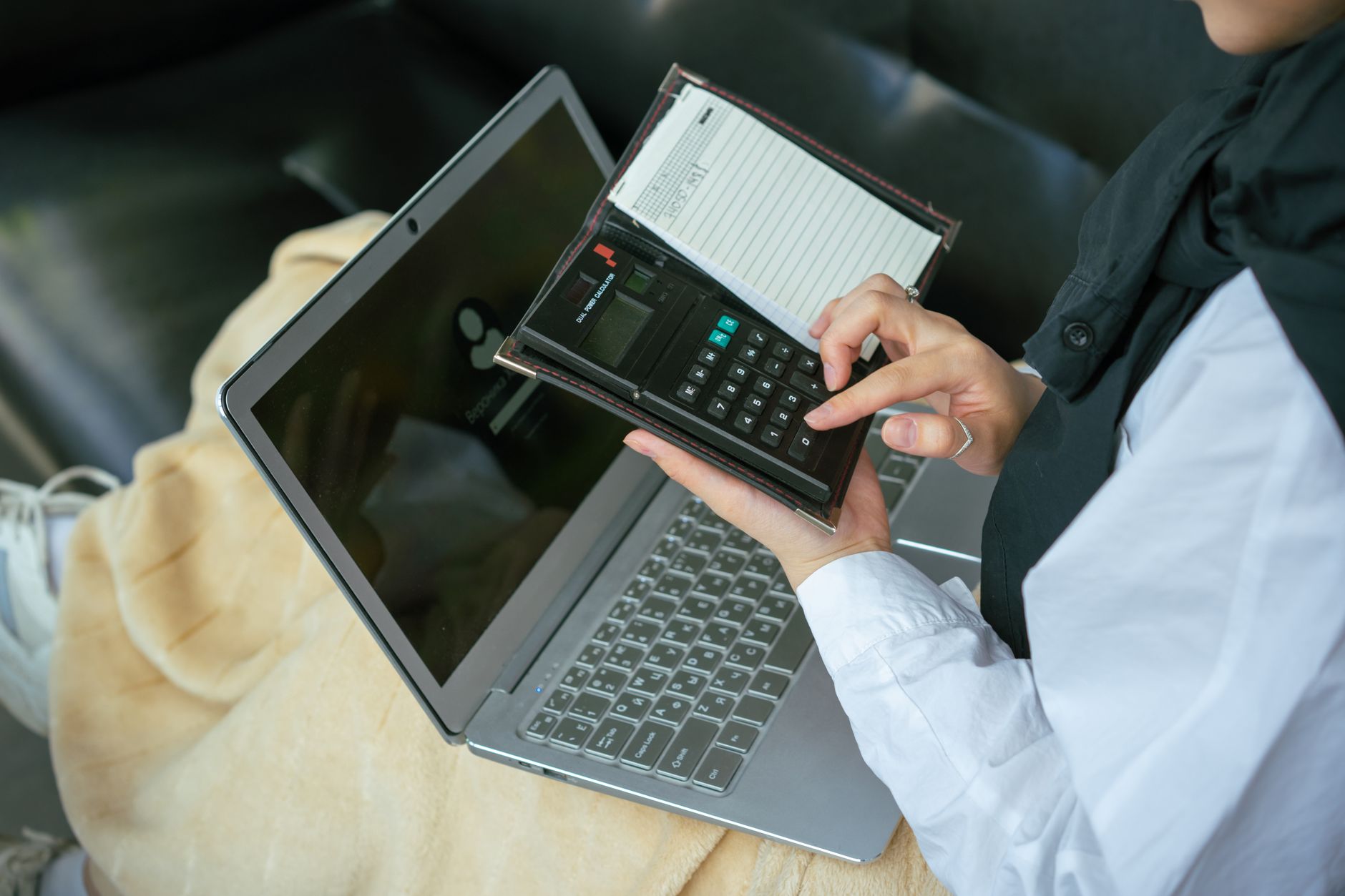
In 2026, the market for freelance financial management tools is robust, offering a variety of options tailored to different needs and budgets. While Invoiceror excels in streamlined invoicing and project management, it's beneficial to understand other popular choices that offer comprehensive accounting functionalities for various freelancing scenarios. Here are some of the leading accounting software for freelancers that stand out for their features, ease of use, and overall value:
1. QuickBooks Self-Employed
Overview: Tailored specifically for independent contractors and freelancers, QuickBooks Self-Employed (QBSE) is designed to simplify tax time. It's excellent for tracking income, expenses, and mileage, automatically separating business and personal transactions. Key Features: Automatic mileage tracking, receipt capture, quarterly estimated tax calculations, invoicing, payment processing, and direct export to TurboTax. Pros: Strong focus on tax preparation, user-friendly mobile app, seamless integration with other Intuit products. Cons: Limited reporting compared to full QuickBooks versions, not ideal for freelancers with employees or complex inventory. Ideal For: Freelancers and independent contractors primarily concerned with income/expense tracking and tax filing ease.
2. FreshBooks
Overview: FreshBooks is renowned for its intuitive invoicing capabilities and comprehensive project accounting. It's built with small businesses and freelancers in mind, prioritizing ease of use over complex features. Key Features: Customizable invoicing, expense tracking, time tracking, project management, recurring invoices, payment processing, basic reporting. Pros: Excellent user interface, strong invoicing features, robust time tracking, good customer support. Cons: Limited payroll features, less robust for inventory management, some advanced accounting features may be missing for growing businesses. Ideal For: Service-based freelancers who need strong invoicing, time tracking, and project expense management.
3. Wave Accounting
Overview: Wave is a fantastic option for freelancers looking for powerful, free accounting software. It offers a comprehensive suite of tools for invoicing, expense tracking, and basic accounting without monthly fees. Key Features: Unlimited invoicing, expense tracking, bank and credit card connections, basic financial reporting (P&L, balance sheet). Payment processing and payroll are paid add-ons. Pros: Completely free for core accounting, easy to use, unlimited invoicing, good for basic financial oversight. Cons: Ads within the platform, customer support can be limited for free users, add-ons can increase cost, not as robust for growing teams. Ideal For: Budget-conscious freelancers and sole proprietors needing core accounting functions without a monthly subscription.
4. Zoho Books
Overview: Part of the larger Zoho ecosystem, Zoho Books offers a feature-rich accounting solution that is scalable and integrates well with other Zoho products. It's a strong contender for freelancers and small businesses with diverse needs. Key Features: Invoicing, expense tracking, project accounting, inventory management, bank reconciliation, multi-currency support, robust reporting, client portal. Pros: Comprehensive feature set, competitive pricing, excellent for scaling businesses, strong integration capabilities with other Zoho apps. Cons: Can have a steeper learning curve due to its extensive features, some advanced features might be overkill for very basic freelance needs. Ideal For: Freelancers and small businesses looking for a scalable solution with comprehensive features and potential for ecosystem integration.
5. Xero
Overview: Xero is a cloud-based accounting solution popular globally for its user-friendly interface and robust feature set, often catering to small businesses and growing freelancers. Key Features: Invoicing, expense tracking, bank reconciliation, inventory management, fixed asset management, payroll integration (via third parties or specific regions), strong reporting. Pros: Modern interface, extensive app marketplace, excellent bank feed capabilities, good for collaboration with accountants. Cons: Can be more expensive than some entry-level options, some advanced features may require add-ons, steeper learning curve than simpler tools. Ideal For: Freelancers planning for growth, those with inventory, or who appreciate a clean interface and extensive integrations.
Each of these platforms offers a distinct set of advantages, allowing you to choose the best fit for your specific freelance journey.
Implementing Your Chosen Accounting Software: Best Practices

Once you've selected the best accounting software for freelancers to suit your business, proper implementation is key to maximizing its benefits. Simply signing up isn't enough; you need a strategy to integrate it seamlessly into your daily operations. Adopting best practices from the start will save you headaches down the road and ensure you leverage the software to its full potential for efficiency and accuracy.
1. Initial Setup and Configuration
Take your time during the initial setup. Accurately input your business information, connect your bank and credit card accounts, and customize your invoicing templates. Define your chart of accounts to ensure expenses and income are categorized correctly from day one. Many platforms offer excellent Tutorials-How to guides or even setup wizards to walk you through this crucial first step. Ensure your tax settings are correct for your location and business structure.
2. Regular Data Entry and Reconciliation
Consistency is paramount. Make it a habit to log expenses and income regularly, ideally daily or weekly. The more frequently you update your records, the less overwhelming it becomes. Reconcile your bank and credit card statements with your software records monthly. This process helps catch discrepancies, identifies forgotten transactions, and ensures your books accurately reflect your bank balances. Regular reconciliation is a cornerstone of sound financial management.
3. Leverage Automation Features
Modern accounting software for freelancers shines brightest in its automation capabilities. Set up recurring invoices for retainers, automate payment reminders, and utilize rules for categorizing common transactions. Explore features like auto-syncing bank feeds and receipt scanning to minimize manual input. The goal is to set it and forget it, letting the software handle the mundane tasks so you can focus on billable work. This aligns perfectly with the philosophy behind tools that help you Master Your Momentum: Why Freelance Management Software is Your 2026 Non-Negotiable Edge.
4. Utilize Reporting for Strategic Insights
Don't just use your accounting software as a data repository; use it as a strategic tool. Regularly review your profit and loss statements, cash flow reports, and outstanding invoices. These reports provide invaluable insights into your business's financial health, helping you identify trends, make informed decisions, and plan for the future. Understanding your financial performance allows you to adjust pricing, manage expenses, and target more profitable clients.
5. Seek Professional Advice When Needed
While accounting software for freelancers simplifies many tasks, it doesn't replace the expertise of a qualified accountant or tax professional. Use the software to gather and organize your data, then share it with your accountant for year-end tax preparation or complex financial planning. Many accounting solutions offer specific user access levels for your accountant, making collaboration seamless and efficient. This partnership ensures you remain compliant and optimize your tax strategy.
By following these best practices, you'll transform your accounting software from a simple tool into a powerful engine for financial clarity and business growth.
Integrating Accounting Software with Other Freelance Tools

In the modern freelance ecosystem of 2026, isolated tools are inefficient. The true power of accounting software for freelancers is unleashed when it integrates seamlessly with your other essential business applications. This interconnected workflow minimizes data entry, reduces errors, and creates a unified platform for managing your entire business. Thinking about integration from the outset ensures your chosen solution plays well with others.
Project Management Software
Many freelancers rely on project management tools (e.g., Asana, Trello, Monday.com) to organize tasks, deadlines, and client communications. Look for accounting software that can integrate with these platforms to link project expenses, track time spent on specific tasks, and even generate invoices directly from completed projects. This streamlines your workflow from ideation to payment.
Payment Gateways
Efficient payment collection is critical. Your accounting software should integrate with popular payment gateways like Stripe, PayPal, or Square. This allows clients to pay directly from your invoices, accelerates payment processing, and automatically records transactions in your books, saving you manual reconciliation efforts. Seamless integration here can significantly improve your cash flow.
CRM Systems
For freelancers who manage a significant client pipeline, Customer Relationship Management (CRM) software is invaluable. Integration with your accounting solution means that client information, billing history, and payment status are all accessible from a single client record, improving client relationship management and sales insights.
Time Tracking Apps
While some accounting software includes built-in time tracking, many freelancers prefer dedicated time tracking applications (e.g., Toggl, Clockify) for their advanced features. An integration ensures that logged hours are automatically transferred to invoices, preventing billing discrepancies and ensuring accurate client charges. This is particularly crucial for service-based independent professionals.
Spreadsheet and Document Tools
Even with advanced software, you might occasionally need to export data for custom analysis or specialized reporting. Ensure your accounting software allows easy export to common formats like CSV or Excel. Furthermore, cloud-based document storage integrations (e.g., Google Drive, Dropbox) can be useful for storing receipts or client contracts alongside your financial records.
By choosing accounting software for freelancers that offers robust integration capabilities, you create a harmonious digital ecosystem. This not only saves time but also provides a more holistic view of your business, enabling smarter decisions and fostering greater efficiency across all your operations.
Conclusion

Navigating the financial landscape as an independent professional in 2026 doesn't have to be a source of stress. By embracing the right accounting software for freelancers, you unlock a world of efficiency, accuracy, and peace of mind. From automating invoicing and diligent expense tracking to simplifying tax preparation and providing crucial financial insights, these tools are indispensable for freelancers, independent professionals, and SME owners aiming for sustainable growth. The market offers a diverse range of options, each with unique strengths, ensuring there's a perfect fit for every business size and need.
Remember, the goal isn't just to keep records; it's to gain control, make informed decisions, and free up valuable time to focus on your passion. Take the initiative to research, compare, and implement the software that aligns with your business goals. Begin your journey toward financial mastery today. If you're ready to streamline your invoicing, project management, and overall business operations, consider exploring the comprehensive features Invoiceror offers. Sign up for Invoiceror and transform your financial management.
Related posts:
 The Future of Solo Work: Why a Freelance Invoice App is Your Most Essential Tool in 2026
 The Future of Billing: Why Smart Invoice Templates for Freelancers are the Key to Scaling in 2026
 Revolutionizing Your Business Workflow: The Definitive Guide to Using a Smart Invoice Generator in 2026
 The Future of Billing: Why Your 2026 Business Needs More Than Just a Free Invoice Template
The Future of Cash Flow: Why AI-Powered Invoicing Software for Small Business is the 2026 Standard
Beyond the Spreadsheet: Why a Smart Small Business Invoicing Tool is Your Best Hire in 2026
The Future of Billing: Why Your 2026 Business Needs More Than Just a Free Invoice Template
The Future of Cash Flow: Why AI-Powered Invoicing Software for Small Business is the 2026 Standard
Beyond the Spreadsheet: Why a Smart Small Business Invoicing Tool is Your Best Hire in 2026
 Beyond the Spreadsheet: Why a Smart Small Business Invoicing Tool is Your Best Hire in 2026
 Beyond the Backburner: Why Smart Inventory Management is Your Freelance Superpower in 2026
 Invoiceror: Your Free Invoice Generator for Fast Billing
 Invoiceror: Your Free Invoice Generator for Fast Billing